Chapter 5: Windows, macOS, Mobile & Specialised Operating Systems
Linux is only one corner of the operating-system world. This chapter opens up Windows — the NT architecture, boot and registry internals, the 2026 versions and servicing model, Windows Server 2025, PowerShell and WSL — then macOS, iOS and iPadOS, Android and AOSP, ChromeOS and HarmonyOS, the BSD family and the real-time and embedded systems hidden inside cars and medical devices. It ends with the security mechanisms all modern operating systems share, from ASLR and stack canaries to SELinux, sandboxing and Secure Boot.
5.1 Windows Architecture: The NT Kernel and Its Layers
Every modern Windows — Windows 11, Windows Server, even Xbox — is built on the Windows NT design first shipped in 1993. Programs never touch the hardware: they call documented Windows functions (the Win32 API), which pass the request through a thin library called ntdll.dll into kernel mode, where the NT executive, the kernel, device drivers and the Hardware Abstraction Layer (HAL) do the real work.
Think of it like…
Windows is like a big hotel: guests (apps) only ever talk to the front desk (the Win32 API); behind the 'staff only' door, specialist departments (the executive's managers) handle rooms, keys and luggage, and the building's foundations (the HAL) let the same hotel design stand on different ground.
Real-world example
Amara, a support engineer at the fictional Kestrel Logistics, traces what happens when a warehouse app saves a delivery note. The app calls WriteFile in kernelbase.dll, which calls NtWriteFile in ntdll.dll and switches the CPU into kernel mode. The I/O manager wraps the request in an I/O Request Packet and passes it down through an antivirus filter, the NTFS driver and the storage driver to the SSD, and the success code travels back up the same path.
How it works
- An application calls a documented Win32 function such as CreateFileW, implemented in kernelbase.dll (kernel32.dll forwards to it).
- kernelbase.dll calls the matching native API stub (NtCreateFile) in ntdll.dll, which loads a system service number and executes the CPU's syscall instruction.
- In kernel mode the system service dispatcher runs the executive routine; the Object Manager creates the object and a handle, and the Security Reference Monitor checks its access control list.
- For I/O, the I/O manager builds an I/O Request Packet (IRP) and sends it down a stack of drivers: filters, file system, volume and storage port drivers.
- The kernel schedules threads and handles interrupts, while hal.dll hides chipset and interrupt-controller differences.
- An NTSTATUS result returns up the stack and is translated into a Win32 error code for the application.
Who uses it
Windows administrators, desktop and server support staff, driver developers, security analysts, incident responders and malware reverse engineers all rely on this model.
Key takeaway
Memorise the call path for interviews: Win32 DLLs → ntdll.dll (native API) → syscall → ntoskrnl.exe (executive + kernel) → drivers → HAL — and call Windows a hybrid kernel.
Going deeper
- Windows NT was designed by a team led by Dave Cutler, formerly of DEC's VMS group; NT 3.1 shipped in July 1993 and every current Windows client and server release descends from it.
- ntoskrnl.exe holds both the executive (Object Manager, Memory Manager, I/O Manager, Process Manager, Security Reference Monitor, Configuration Manager) and the low-level kernel that schedules threads and dispatches interrupts.
- Windows is usually called a hybrid kernel: it keeps a layered, object-based design inspired by microkernels, but runs nearly all services, drivers and the win32k graphics component in kernel mode for speed.
- System service numbers used by ntdll.dll stubs change between builds, which is one reason Microsoft only supports the documented Win32 API; tools like Sysinternals and EDR products inspect this boundary.
- Interrupt Request Levels order work: PASSIVE_LEVEL 0, APC_LEVEL 1, DISPATCH_LEVEL 2, then device levels; touching pageable memory at DISPATCH_LEVEL or above produces the classic IRQL_NOT_LESS_OR_EQUAL stop error.
- On 64-bit Windows, Kernel Patch Protection (PatchGuard) periodically checks critical kernel structures, and since Windows 10 version 1607 new kernel drivers must be signed through Microsoft's Hardware Dev Center portal.
- Windows on Arm runs native ARM64 code, emulates x86 and x64 apps with the Prism emulator, and offers ARM64EC so developers can port an app gradually while mixing native and emulated code in one process.
Common mistakes & misconceptions
- 'Win32 means 32-bit' — Win32 is simply the API name; 64-bit Windows still calls it Win32, and its 64-bit system DLLs confusingly live in System32.
- Calling Windows a microkernel — most operating-system services and all drivers run in kernel mode, so a faulty driver can still crash the whole machine.
- Calling undocumented Nt* functions in production code — their numbers and behaviour can change in any update; use documented Win32 or .NET APIs.
Try it: See which Windows build you run and the core DLLs loaded in your PowerShell process
# PowerShell (no admin needed)
Get-CimInstance Win32_OperatingSystem | Select-Object Caption, Version, BuildNumber, OSArchitecture
(Get-Process -Id $PID).Modules | Where-Object ModuleName -in 'ntdll.dll','kernel32.dll','KERNELBASE.dll' | Select-Object ModuleName, FileName
driverquery | Select-Object -First 15
Key kernels, commands, tools, standards & concepts
| Name | What it does | Example |
|---|---|---|
| Environment subsystems Microsoft (Windows NT 3.1, 1993) · Concept · Legacy · Intermediate |
NT's original design hosted OS/2, POSIX and Win32 personalities; only Win32 remains, with WSL now covering Linux. | Windows NT 3.51 could run character-mode OS/2 1.x programs through its OS/2 subsystem. |
| ntoskrnl.exe Microsoft · Component · Current · Intermediate |
The kernel image containing the executive managers and the low-level kernel; it loads first after the boot loader. | A crash dump analysed in WinDbg shows ntoskrnl.exe at the bottom of most kernel call stacks. |
| ALPC (Advanced Local Procedure Call) Microsoft · Component · Current · Advanced |
Windows' fast internal message-passing mechanism between processes, used by RPC, lsass, csrss and many services. | When an app asks lsass to verify a password, the request travels over an ALPC port. |
| Bug checks (blue screens) and crash dumps Microsoft · Concept · Current · Intermediate |
When the kernel detects fatal corruption it stops with a bug-check code and can save a memory dump for analysis. | WinDbg's !analyze -v on MEMORY.DMP blames a third-party storage driver for bug check 0xD1. |
| System service dispatch table (SSDT) Microsoft · Component · Current · Advanced |
Kernel table mapping system-service numbers sent by ntdll stubs to the executive routines that implement them. | Old 32-bit antivirus products hooked the SSDT; on x64 Windows PatchGuard crashes the system if anyone tries. |
| Win32 API Microsoft · API · Current · Beginner |
The main documented C interface for Windows programs: files, processes, windows, registry, networking and security. | CreateProcessW starts Notepad; every higher framework, including .NET, eventually calls Win32 functions like this. |
| win32k.sys Microsoft · Component · Current · Advanced |
Kernel-mode part of the windowing and graphics subsystem, moved into the kernel in NT 4.0 for performance. | Many historical Windows privilege-escalation bugs lived in win32k, so browsers block their sandboxed processes from calling it. |
| Kernel driver signing and the vulnerable driver blocklist Microsoft · Concept · Current · Advanced |
64-bit Windows loads only Microsoft-signed kernel drivers and blocks known-vulnerable signed drivers abused by attackers. | Ransomware tries a 'bring your own vulnerable driver' attack, but the blocklist stops the old driver from loading. |
| I/O Request Packet (IRP) Microsoft I/O Manager · Concept · Current · Advanced |
The data structure describing one I/O operation, passed down a stack of layered drivers and completed back up. | An antivirus file-system minifilter sees the IRP for a file open and scans the file before NTFS completes it. |
| IRQL (Interrupt Request Level) Microsoft kernel · Concept · Current · Advanced |
A per-CPU priority level deciding which interrupts may preempt running code and whether page faults are allowed. | A buggy network driver touches paged memory at DISPATCH_LEVEL and the PC stops with IRQL_NOT_LESS_OR_EQUAL. |
| Handles and the Object Manager namespace Microsoft · Concept · Current · Intermediate |
Kernel resources are objects in a namespace; processes get per-process handles referring to them, never raw pointers. | Sysinternals Handle.exe reveals which process holds a lock on report.xlsx so the admin can close it. |
| WoW64 Microsoft · Component · Current · Intermediate |
'Windows 32-bit on Windows 64-bit': a user-mode layer that runs 32-bit x86 programs on 64-bit Windows. | A 32-bit legacy accounting app installs to Program Files (x86) and has its registry writes redirected to WOW6432Node. |
| Prism emulator Microsoft (Windows 11 24H2+) · Component · Current · Intermediate |
Windows on Arm's translator that runs x86 and x64 apps on Arm CPUs such as Snapdragon X, caching translated code. | A Snapdragon X laptop runs an older x64-only VPN client through Prism while Office runs natively as ARM64. |
| ARM64EC Microsoft · API · Current · Advanced |
An application binary interface letting native Arm code and emulated x64 code mix inside one process during porting. | A CAD vendor recompiles its core engine as ARM64EC while still loading an old x64-only plug-in. |
| Kernel Patch Protection (PatchGuard) Microsoft · Component · Current · Advanced |
A 64-bit Windows feature that detects modification of critical kernel structures and deliberately crashes the system. | Security vendors had to move from kernel hooking to official callbacks and minifilters after PatchGuard arrived in x64 Windows. |
5.2 Windows Internals: Boot, Core Processes, Registry and Services
When a Windows PC starts, firmware hands over to the Windows Boot Manager, which loads the kernel; the kernel then starts a small chain of trusted system processes that launch services and the logon screen. Settings for the whole system live in the registry, a hierarchical database, and background programs called services run without anyone logged in.
Think of it like…
Booting Windows is like opening a theatre: the caretaker unlocks the building (firmware), the stage manager reads the running order (boot configuration), the crew sets up (kernel and drivers), the ushers take their places (services) and finally the doors open to the audience (the logon screen). The registry is the production's master notebook.
Real-world example
At the fictional Fernbrook College, lab PCs suddenly take four minutes to reach the logon screen. Technician Dev opens Event Viewer and sees a service timing out, uses Autoruns to find a forgotten licence-server service set to Automatic start, and changes it to Automatic (Delayed Start) with sc.exe. Boot time drops to 35 seconds.
How it works
- UEFI firmware verifies and runs bootmgfw.efi (Windows Boot Manager), which reads the Boot Configuration Data (BCD) store.
- winload.efi loads ntoskrnl.exe, hal.dll, the SYSTEM registry hive and boot-start drivers, then transfers control to the kernel.
- The kernel initialises and starts smss.exe (Session Manager), which starts csrss.exe and wininit.exe for session 0.
- wininit.exe starts services.exe (the Service Control Manager) and lsass.exe (authentication); services start according to their start type.
- smss.exe creates the user session, where winlogon.exe shows LogonUI; after sign-in userinit.exe launches explorer.exe.
Who uses it
Desktop support technicians, Windows and Active Directory administrators, digital forensics investigators and SOC analysts work with boot, registry and service internals every day.
Key takeaway
Know the normal parent-child chain (wininit → services → svchost; wininit → lsass) — a second lsass.exe or a svchost.exe outside System32 is a classic malware red flag.
Going deeper
- The registry is stored in hive files under C:\Windows\System32\config (SYSTEM, SOFTWARE, SAM, SECURITY, DEFAULT) plus each user's NTUSER.DAT and UsrClass.dat; HKEY_LOCAL_MACHINE and HKEY_USERS are the only real root keys.
- Service start types are Boot (0), System (1), Automatic (2), Manual (3) and Disabled (4), stored as the Start value under HKLM\SYSTEM\CurrentControlSet\Services\<name>.
- Since Windows 10 version 1703, machines with more than about 3.5 GB of RAM run most services in their own svchost.exe instance, which makes troubleshooting and crash isolation easier.
- Fast Startup hibernates the kernel session at shutdown, so 'Shut down' is not a full restart; use Restart when drivers or updates need a clean boot.
- The Windows Recovery Environment (WinRE) lives on a small recovery partition and offers Startup Repair, System Restore, Safe Mode and a command prompt with bcdedit and bootrec.
- Persistence locations attackers love include Run/RunOnce registry keys, services, scheduled tasks and WMI subscriptions; Sysinternals Autoruns lists them all in one view.
- User Account Control (UAC), introduced with Windows Vista in 2007, gives admins a filtered standard-user token and asks for consent before using the full administrator token.
Common mistakes & misconceptions
- Editing the registry without a backup — export the key first (reg export) or create a restore point; a bad change to SYSTEM can stop Windows booting.
- Assuming every svchost.exe is suspicious — dozens are normal; check the path (System32), parent (services.exe) and command line instead.
- Treating UAC as a security boundary — Microsoft does not; elevated malware and UAC bypasses exist, so run daily work as a standard user.
Try it: Inspect services, a registry value and the boot entry (bcdedit needs an admin prompt)
Get-Service | Where-Object Status -eq 'Running' | Select-Object -First 10 Name, StartType
Get-ItemProperty 'HKLM:\SOFTWARE\Microsoft\Windows NT\CurrentVersion' | Select-Object ProductName, DisplayVersion, CurrentBuild
Get-CimInstance Win32_Process -Filter "Name='lsass.exe'" | Select-Object ProcessId, ParentProcessId, ExecutablePath
bcdedit /enum '{current}'   # admin only
Key kernels, commands, tools, standards & concepts
| Name | What it does | Example |
|---|---|---|
| Fast Startup Microsoft · Concept · Current · Beginner |
Default shutdown mode that hibernates the kernel session so the next boot is faster; Restart does a full reload. | A driver update only takes effect after Restart because Shut down with Fast Startup reused the old kernel session. |
| winload.efi Microsoft · Component · Current · Advanced |
The OS loader that loads the kernel, HAL, SYSTEM hive and boot-start drivers, and records measurements for measured boot. | A corrupted storage driver set to boot-start stops Windows during winload with INACCESSIBLE_BOOT_DEVICE. |
| smss.exe (Session Manager) Microsoft · Component · Current · Intermediate |
The first user-mode process; it creates sessions, sets up paging files and environment variables, and starts csrss and wininit. | Forensic analysts expect smss.exe to have the System process as its parent and no lasting child processes. |
| csrss.exe and wininit.exe Microsoft · Component · Current · Intermediate |
Critical session processes: csrss supports the Win32 subsystem per session; wininit starts services.exe and lsass.exe in session 0. | Killing csrss.exe in Task Manager immediately crashes Windows with a CRITICAL_PROCESS_DIED stop error. |
| services.exe (Service Control Manager) Microsoft · Component · Current · Beginner |
Starts, stops and monitors Windows services according to their configuration and dependencies. | sc.exe query spooler asks the Service Control Manager whether the Print Spooler service is running. |
| svchost.exe Microsoft · Component · Current · Beginner |
A generic host process that runs services implemented as DLLs, such as Windows Update and DNS Client. | tasklist /svc shows which services run inside each svchost.exe instance on a laptop. |
| lsass.exe (Local Security Authority) Microsoft · Component · Current · Intermediate |
Validates logons, enforces local security policy and holds credentials in memory — a prime target for credential theft. | Attackers dump LSASS memory with tools such as Mimikatz, so admins enable LSA protection and Credential Guard. |
| winlogon.exe and credential providers Microsoft · Component · Current · Intermediate |
Handles interactive sign-in, the secure attention sequence (Ctrl+Alt+Del), lock screen and sign-out. | Windows Hello for Business is a credential provider shown by LogonUI alongside password and smart-card options. |
| Windows registry Microsoft · Concept · Current · Beginner |
A hierarchical database of keys and values holding system, hardware, software and per-user configuration. | HKCU\Software\Microsoft\Windows\CurrentVersion\Run lists programs that start when that user signs in. |
| reg.exe and regedit Microsoft · Tool · Current · Beginner |
Built-in command-line and graphical tools to view, change, export and import registry keys. | reg export HKLM\SOFTWARE\Contoso backup.reg saves a key before an application upgrade. |
| Windows services Microsoft · Concept · Current · Beginner |
Background programs managed by the SCM, running under accounts like LocalSystem, NetworkService or a managed service account. | A backup agent runs as a service so nightly jobs work even when nobody is signed in. |
| Event Viewer and Windows Event Log Microsoft (eventvwr.msc, wevtutil) · Tool · Current · Beginner |
Records system, application and security events; each event has a source, ID, level and timestamp. | Security event 4625 records failed logons; a burst of them from one IP suggests a password-spraying attempt. |
| Task Scheduler Microsoft (taskschd.msc, schtasks) · Tool · Current · Beginner |
Runs programs at set times or on triggers like logon, idle or a specific event log entry. | schtasks /create /sc daily /st 02:00 /tn Cleanup /tr C:\Scripts\cleanup.cmd schedules a nightly script. |
| User Account Control (UAC) Microsoft (Windows Vista, 2007) · Component · Current · Beginner |
Runs admins with a filtered token and asks for consent before elevating a process to full administrator rights. | Installing a printer driver triggers a UAC prompt even for an administrator account. |
| Windows Recovery Environment (WinRE) Microsoft · Platform · Current · Intermediate |
A small recovery OS used for Startup Repair, Safe Mode, System Restore, reset and a recovery command prompt. | After a failed driver update, a technician boots WinRE, opens Safe Mode and rolls the driver back. |
| Sysinternals Autoruns Microsoft Sysinternals (Mark Russinovich) · Tool · Current · Intermediate |
Shows every auto-start location — Run keys, services, drivers, scheduled tasks, shell extensions — in one list. | An analyst hides signed Microsoft entries in Autoruns and spots an unsigned service pointing into AppData. |
5.3 Windows 11 and 10 in 2026: Versions, Servicing and End of Support
Windows 11 gets one feature update a year, named after the half-year it ships (24H2, 25H2, 26H2), plus security updates every month. Windows 10 reached end of support on 14 October 2025, so only devices enrolled in paid or free Extended Security Updates (ESU) still receive patches.

Think of it like…
Windows versions are like car model years: the 2025 model looks almost the same as the 2026 model, the garage sends monthly safety recalls, and after a set number of years the manufacturer stops servicing that model unless you buy an extended warranty.
Real-world example
Mina manages 600 PCs at the fictional Larkspur Housing Association. In 2025 she replaced 120 PCs that failed Windows 11's TPM 2.0 and CPU checks, enrolled 40 kiosks in commercial ESU at $61 each for year one, and moved everyone else from 23H2 to 24H2 and then 25H2 through a simple enablement package.
How it works
- Microsoft develops the next release in Windows Insider channels (Canary, Dev, Beta, Release Preview).
- Security and quality fixes ship as cumulative updates on Patch Tuesday, the second Tuesday of each month.
- One feature update ships each autumn; recent ones (25H2, 26H2) are small enablement packages that switch on features already delivered.
- Home and Pro editions are supported for 24 months per version; Enterprise and Education for 36 months.
- When support ends the device must move to a newer version, a Long-Term Servicing Channel (LTSC) edition, or ESU.
Who uses it
Desktop engineers, endpoint and Intune administrators, IT asset managers, help-desk staff and security teams track versions, update rings and end-of-support dates.
Key takeaway
Remember three dates: Windows 10 support ended 14 October 2025; Windows 11 24H2 Home/Pro updates end 13 October 2026; feature updates ship once a year in the second half.
Going deeper
- Windows 11 minimum hardware: 64-bit CPU with 2+ cores at 1 GHz from the supported list (roughly Intel 8th gen / AMD Ryzen 2000 or newer), 4 GB RAM, 64 GB storage, UEFI with Secure Boot capability and TPM 2.0.
- Windows 10 commercial ESU costs $61 per device for year one and doubles each year for up to three years (to October 2028); Windows 365 and Azure Virtual Desktop VMs get ESU at no extra cost.
- Consumer ESU could be obtained free by syncing settings with Windows Backup, with 1,000 Microsoft Rewards points, or for about $30; in mid-2026 Microsoft's documentation extended consumer coverage to 12 October 2027.
- Windows 11 Enterprise LTSC 2024 (build 26100) gets 5 years of support and IoT Enterprise LTSC 2024 gets 10 years, with no feature updates — intended for kiosks, ATMs and medical devices, not office PCs.
- Hotpatch for Windows 11 Enterprise 24H2 and later installs most monthly security fixes without a restart; only quarterly baseline months (January, April, July, October) need a reboot.
- Windows 11 26H1 is a special platform release for new Snapdragon X2 devices only; those PCs cannot move to 26H2, while Intel, AMD and older Arm PCs follow the normal 24H2 → 25H2 → 26H2 path.
- Copilot+ PCs need an NPU of at least 40 TOPS, 16 GB RAM and 256 GB storage, and unlock on-device AI features such as Recall, which is opt-in and protected with Windows Hello and VBS enclaves.
Common mistakes & misconceptions
- Thinking Windows 10 PCs stop working after October 2025 — they still run, but without security fixes they become steadily riskier to use online.
- Bypassing the Windows 11 hardware check on unsupported PCs in a business — Microsoft does not guarantee updates there, and it may break compliance.
- Confusing the build number with the version: 25H2 is build 26200 and 24H2 is 26100; check both plus the UBR (monthly patch level).
Try it: Check your exact Windows version and build
winver
# or in PowerShell:
Get-ItemProperty 'HKLM:\SOFTWARE\Microsoft\Windows NT\CurrentVersion' | Select-Object DisplayVersion, CurrentBuild, UBR
Get-ComputerInfo -Property OsName, OsVersion, WindowsVersion
Key kernels, commands, tools, standards & concepts
| Name | What it does | Example |
|---|---|---|
| Windows 11 Microsoft (October 2021) · Operating system · Current · Beginner |
Microsoft's current desktop OS with stricter hardware requirements, yearly feature updates and monthly cumulative updates. | A school buys laptops with Windows 11 Education preinstalled and manages them with Intune. |
| Windows 11 version 24H2 Microsoft (October 2024, build 26100) · Operating system · Current · Beginner |
A major release on a new platform base, also used by Server 2025 and LTSC 2024; Home/Pro support ends 13 October 2026. | 24H2 introduced the Prism emulator, sudo for Windows and hotpatch support for Enterprise devices. |
| Windows 11 version 25H2 Microsoft (2025, build 26200) · Operating system · Current · Beginner |
A small enablement-package update from 24H2 that switches on already-delivered features and restarts the support clock. | Mina upgrades 24H2 PCs to 25H2 with one restart because the code was already installed by monthly updates. |
| Windows 11 version 26H2 Microsoft (rolling out from late September 2026) · Operating system · Emerging · Beginner |
The 2026 annual update, again delivered as an enablement package to 24H2 and 25H2 devices. | Admins pilot 26H2 with an Intune feature-update policy on 5% of devices before a broad rollout. |
| Windows 11 version 26H1 Microsoft (2026, Snapdragon X2 devices only) · Operating system · Emerging · Intermediate |
A silicon-specific platform release that ships preinstalled on new Snapdragon X2 PCs and cannot be installed on other hardware. | A fleet manager finds new Arm laptops on 26H1 and existing Intel ones on 25H2 — both are supported. |
| PC Health Check Microsoft · Tool · Current · Beginner |
Microsoft app that tests a PC against Windows 11 requirements and explains which check fails. | PC Health Check shows a 2017 office PC fails only the CPU requirement, so it goes on the replacement list. |
| Extended Security Updates (ESU) Microsoft · Service · Current · Beginner |
A paid or conditionally free programme delivering critical and important security fixes after end of support. | A company pays $61 per device for Windows 10 ESU year one while it replaces old hardware. |
| Windows 11 hardware requirements Microsoft · Concept · Current · Beginner |
TPM 2.0, UEFI Secure Boot capability, a supported 64-bit CPU, 4 GB RAM and 64 GB storage. | PC Health Check reports that a 2017 desktop fails only the CPU check, so it cannot officially upgrade. |
| Patch Tuesday Microsoft · Concept · Current · Beginner |
Microsoft's monthly security release on the second Tuesday, delivered as one cumulative update per Windows version. | The SOC reviews the October Patch Tuesday list and fast-tracks a fix for an actively exploited flaw. |
| Windows Insider Program Microsoft · Service · Current · Beginner |
Preview channels — Canary, Dev, Beta and Release Preview — for testing upcoming Windows builds. | An IT team runs 20 pilot PCs in Release Preview to catch app-compatibility problems before rollout. |
| Windows 11 Enterprise LTSC 2024 Microsoft · Operating system · Current · Intermediate |
A long-term servicing edition with security updates but no feature updates for 5 years (10 for IoT Enterprise). | A hospital runs IoT Enterprise LTSC on MRI console PCs so the validated configuration never changes. |
| Windows Update for Business and Autopatch Microsoft · Service · Current · Intermediate |
Cloud policies and a managed service that control update rings, deferrals and rollout waves for organisations. | Autopatch updates a test ring first, then broad rings days later, pausing automatically if crash rates rise. |
| Hotpatch for Windows 11 Enterprise Microsoft (24H2 and later) · Service · Current · Intermediate |
Applies most monthly security fixes in memory without restarting; reboots are needed only in quarterly baseline months. | Trading-floor PCs patch in the morning without a restart, reducing reboot interruptions from 12 to 4 a year. |
| Copilot+ PCs Microsoft and PC makers (2024) · Platform · Current · Beginner |
Windows 11 PCs with an NPU of 40+ TOPS, 16 GB RAM and 256 GB storage that enable on-device AI features. | A Snapdragon X2 Copilot+ laptop transcribes and translates a meeting locally without sending audio to the cloud. |
| Windows editions Microsoft · Concept · Current · Beginner |
Home, Pro, Enterprise, Education, Pro for Workstations and IoT Enterprise differ in management, security and licensing features. | BitLocker management, Group Policy and domain join need Pro or higher; Credential Guard needs Enterprise or Education. |
5.4 Windows Server 2025 and the Microsoft Server Platform
Windows Server is the edition of Windows built for running services for many users: sign-in and directories (Active Directory), file shares, websites, virtual machines and clusters. Windows Server 2025, released on 1 November 2024, is the current Long-Term Servicing Channel release, supported until October 2034.
Think of it like…
A Windows Server is like the head office of a company: ordinary PCs are the branch desks, while head office keeps the staff directory, the shared filing room, the switchboard and the meeting rooms that everyone else depends on.
Real-world example
The fictional Ridgeway Council runs two Windows Server 2025 Datacenter hosts in a failover cluster with Storage Spaces Direct. Its domain controllers, file servers and payroll VMs run on top. Because the hosts connect to Azure Arc, monthly security fixes are installed with hotpatch and the cluster reboots only four times a year.
How it works
- Choose an edition (Standard, Datacenter or Datacenter: Azure Edition) and an install option: Server Core (no desktop) or Desktop Experience.
- License by physical cores: at least 8 core licences per processor and 16 per server, plus Client Access Licences for users or devices.
- Add roles and features such as AD DS, DNS, DHCP, File and Storage Services, Hyper-V, IIS or Failover Clustering.
- Manage remotely with Windows Admin Center, PowerShell remoting, RSAT tools or Azure Arc rather than logging on to the console.
- Patch monthly — with hotpatch on Arc-connected 2025 servers, most months need no restart.
Who uses it
Windows server administrators, Active Directory engineers, infrastructure and cloud engineers, and MSP technicians build and run Windows Server estates.
Key takeaway
Know the edition difference interviewers ask about: Standard licenses two VMs (OS environments) per fully licensed host; Datacenter allows unlimited VMs plus Storage Spaces Direct and software-defined networking.
Going deeper
- Windows Server 2025 shares the 24H2 code base (build 26100); mainstream support runs to 9 October 2029 and extended support to 10 October 2034.
- Active Directory gained a new functional level, an optional 32 KB database page size for larger objects, and stronger defaults such as LDAP signing and channel binding improvements.
- Hotpatch for Arc-connected Windows Server 2025 Standard and Datacenter launched as a $1.50 per core monthly subscription in July 2025; Microsoft removed that charge in May 2026, though VBS must still be enabled.
- Hyper-V in Server 2025 supports GPU partitioning with live migration and very large VMs (up to 2,048 virtual processors and 240 TB of memory for generation 2 VMs).
- SMB over QUIC, previously limited to Azure Edition, is available in all editions, letting remote users reach file shares over UDP 443 with TLS 1.3 instead of a VPN.
- Delegated Managed Service Accounts (dMSA) were added to ease service-account migration; in 2025 researchers showed the 'BadSuccessor' abuse of dMSAs for privilege escalation, so restrict who can create them.
- Microsoft deprecated WSUS in 2024 (still supported, no new features) in favour of cloud tools such as Azure Update Manager, and Insider previews of the next Windows Server ('vNext') appeared through 2026.
Common mistakes & misconceptions
- Installing Desktop Experience everywhere — Server Core has a smaller attack surface, fewer patches and fewer reboots; manage it remotely.
- Running other roles on a domain controller — keep DCs dedicated; a compromised web app on a DC compromises the whole domain.
- Forgetting Client Access Licences — server core licences alone do not cover users or devices connecting to the server.
Try it: Look at a server's roles and features (Windows Server; run in elevated PowerShell)
Get-WindowsFeature | Where-Object Installed | Select-Object Name, DisplayName
Get-ComputerInfo -Property WindowsProductName, OsVersion, OsServerLevel
# On any Windows PC: list domain controllers for your domain
nltest /dclist:$env:USERDNSDOMAIN
Key kernels, commands, tools, standards & concepts
| Name | What it does | Example |
|---|---|---|
| Windows Server 2025 Microsoft (GA 1 November 2024) · Operating system · Current · Beginner |
Current LTSC server release with hotpatching, AD improvements, NVMe and Hyper-V upgrades, supported to October 2034. | A council migrates domain controllers from Server 2016 to 2025 before 2016's January 2027 end of support. |
| Standard vs Datacenter editions Microsoft licensing · Concept · Current · Beginner |
Standard covers two VMs per licensed host; Datacenter allows unlimited VMs, Storage Spaces Direct and SDN. | A host running twelve VMs is cheaper to license with Datacenter than with six stacks of Standard. |
| Server Core Microsoft · Concept · Current · Intermediate |
An installation option without the desktop shell, managed by PowerShell and remote tools; smaller, safer, fewer reboots. | A Hyper-V host runs Server Core and is managed entirely from Windows Admin Center. |
| Active Directory Domain Services (AD DS) Microsoft · Service · Current · Beginner |
The directory holding users, groups and computers, providing Kerberos sign-in and Group Policy for a Windows domain. | Staff sign in once at their PC and get access to file shares and printers via their AD group membership. |
| Group Policy Microsoft · Service · Current · Beginner |
Centrally pushes security and configuration settings from AD to domain-joined computers and users. | A GPO enforces a 15-minute screen lock and BitLocker on every laptop in the Finance organisational unit. |
| Failover Clustering Microsoft · Service · Current · Intermediate |
Groups servers so VMs or services automatically restart on another node when one fails. | When a host's motherboard dies, its 18 VMs restart on the other cluster node within minutes. |
| Storage Spaces Direct (S2D) Microsoft (Datacenter edition) · Service · Current · Advanced |
Software-defined storage pooling local disks across cluster nodes into resilient, mirrored volumes. | A two-node S2D cluster mirrors VM disks across both servers, so no SAN is needed. |
| Windows Admin Center Microsoft · Tool · Current · Beginner |
A browser-based console for managing servers, clusters, Hyper-V and Azure Local without RDP. | An admin restarts a service and checks certificates on 30 servers from one web dashboard. |
| Azure Arc Microsoft · Service · Current · Intermediate |
Projects on-premises and multicloud servers into Azure for policy, monitoring, updates, hotpatching and pay-as-you-go licensing. | Ridgeway connects its servers to Arc so Azure Update Manager schedules their monthly patches. |
| Hotpatch for Windows Server 2025 Microsoft via Azure Arc · Service · Current · Intermediate |
Installs security fixes into running memory so most months need no reboot; requires Arc connection and VBS. | File servers stay online through patching for eight months of the year, rebooting only in baseline months. |
| Azure Local Microsoft (renamed from Azure Stack HCI, November 2024) · Platform · Current · Intermediate |
Microsoft's hyperconverged on-premises platform running VMs and AKS, managed and billed through Azure. | A retailer runs Azure Local in each distribution centre for low-latency warehouse apps. |
| SMB over QUIC Microsoft (all Server 2025 editions) · Service · Current · Advanced |
Lets clients reach SMB file shares over UDP 443 with TLS 1.3, avoiding a VPN for remote workers. | A field engineer opens \\files.contoso.com\plans from a hotel Wi-Fi without connecting to the VPN. |
| Delegated Managed Service Account (dMSA) Microsoft (Server 2025) · Concept · Emerging · Advanced |
A new service-account type with machine-bound credentials meant to replace legacy service accounts. | After the 2025 BadSuccessor research, admins audit who has rights to create dMSAs in each OU. |
| Windows Server Update Services (WSUS) Microsoft · Software · Legacy · Intermediate |
On-premises update approval server; deprecated in 2024, still supported but receiving no new features. | An organisation plans to move from WSUS to Azure Update Manager and Intune over the next two years. |
| Windows Server 2016 and 2019 end of support Microsoft lifecycle · Concept · Legacy · Beginner |
Server 2016 extended support ends 12 January 2027; Server 2019 ends 9 January 2029. | An auditor flags 14 Server 2016 VMs that must be upgraded or protected before January 2027. |
5.5 PowerShell and Windows Admin Tools
PowerShell is Microsoft's command-line shell and scripting language. Unlike classic shells that pass text between commands, PowerShell passes structured .NET objects, so you can sort, filter and export real properties without parsing text. Around it sit admin tools such as winget, Sysinternals, Event Viewer, Group Policy and Intune.

Think of it like…
A text shell is like passing handwritten notes along a line of people who must re-read each note; PowerShell is like passing labelled boxes — each person can open exactly the compartment they need.
Real-world example
Jonas, a junior admin at the fictional Brightwater Clinic, must find PCs whose disks are over 90% full. He writes a 6-line PowerShell script that queries 80 PCs over PowerShell remoting, filters objects where free space is under 10%, and exports a CSV for his manager — a job that would take a day by hand.
How it works
- Commands are cmdlets named Verb-Noun, such as Get-Service or Stop-Process; Get-Command and Get-Help find and explain them.
- Each cmdlet outputs objects; Get-Member shows their properties and methods.
- The pipeline (|) hands whole objects to the next command, e.g. Where-Object to filter and Sort-Object to order them.
- Format-Table, Export-Csv or ConvertTo-Json present or save the results at the end of the pipeline.
- Invoke-Command and Enter-PSSession run the same commands on remote machines over WinRM or SSH.
Who uses it
Windows and Microsoft 365 administrators, cloud engineers (Azure and Microsoft Graph), DevOps engineers, help-desk staff and blue-team security analysts use PowerShell daily.
Key takeaway
Know that Windows PowerShell 5.1 (built in, .NET Framework) is in maintenance mode, while PowerShell 7 (pwsh, cross-platform) is current — 7.6 LTS, released March 2026, runs on .NET 10.
Going deeper
- PowerShell 1.0 shipped in 2006; Windows PowerShell 5.1 (2016) is the last .NET Framework version and still ships with Windows, while open-source PowerShell 7 runs on Windows, Linux and macOS.
- PowerShell 7.4 LTS (on .NET 8) is supported until November 2026; PowerShell 7.6 LTS reached general availability in March 2026 on .NET 10 and is the recommended production version.
- Execution policy (Restricted, RemoteSigned, AllSigned, Bypass) prevents accidental script runs but Microsoft states it is not a security boundary; use AppLocker or App Control for Business to block scripts.
- Script block logging (Event ID 4104 in Microsoft-Windows-PowerShell/Operational) and transcription record what ran, which is why defenders enable them and attackers try to downgrade to PowerShell 2.0, now removed from current Windows 11.
- Modules come from the PowerShell Gallery via Install-PSResource (PSResourceGet) or the older Install-Module; Microsoft.Graph and Az modules manage Microsoft 365 and Azure.
- Desired State Configuration (DSC) describes how a machine should look; DSC v3 is a rewritten cross-platform engine that can be driven from other tools.
- sudo for Windows (Windows 11 24H2 and later) lets you elevate a single command from a normal terminal after enabling it in Settings, similar to sudo on Linux.
Common mistakes & misconceptions
- Parsing PowerShell output as text — use object properties ($_.Name) instead of string splitting; formatted output (Format-Table) is for display only.
- Using Format-Table before Export-Csv — Format-* cmdlets produce formatting objects, so export first and format last.
- Setting ExecutionPolicy Bypass machine-wide 'to make scripts work' — sign scripts or use RemoteSigned for your user scope instead.
Try it: Object pipeline basics (works in Windows PowerShell 5.1 and PowerShell 7)
$PSVersionTable.PSVersion
Get-Process | Sort-Object CPU -Descending | Select-Object -First 5 Name, Id, CPU
Get-Service | Get-Member -MemberType Property | Select-Object -First 8 Name
Get-ChildItem $HOME -File -Recurse -ErrorAction SilentlyContinue |
  Sort-Object Length -Descending | Select-Object -First 5 FullName, @{n='MB';e={[int]($_.Length/1MB)}}
Key kernels, commands, tools, standards & concepts
| Name | What it does | Example |
|---|---|---|
| Windows PowerShell 5.1 Microsoft (2016, built into Windows) · Tool · Legacy · Beginner |
The built-in, .NET Framework-based PowerShell still present in Windows; maintained for compatibility but not gaining features. | Older Exchange or SharePoint admin modules may still require Windows PowerShell 5.1. |
| PowerShell 7 (pwsh) Microsoft (open source, 7.6 LTS March 2026) · Tool · Current · Beginner |
Cross-platform PowerShell on modern .NET for Windows, Linux and macOS; installed side by side with 5.1. | winget install Microsoft.PowerShell installs pwsh, which runs the same scripts on a Linux build agent. |
| Cmdlets and Verb-Noun naming Microsoft · Concept · Current · Beginner |
Small .NET commands named with approved verbs (Get, Set, New, Remove) and a noun, making commands guessable. | If Get-LocalUser lists accounts, New-LocalUser and Remove-LocalUser are easy guesses — and correct. |
| Get-Help, Get-Command, Get-Member Microsoft · Command · Current · Beginner |
The discovery trio: read documentation, find commands, and inspect an object's properties and methods. | Get-Command *firewall* finds Get-NetFirewallRule; Get-Help Get-NetFirewallRule -Examples shows usage. |
| Object pipeline Microsoft · Concept · Current · Beginner |
Passing typed objects between cmdlets so later commands can filter, sort and export real properties. | Get-ADUser -Filter * -Properties LastLogonDate | Where-Object LastLogonDate -lt (Get-Date).AddDays(-90) finds stale accounts. |
| PowerShell remoting Microsoft (WinRM, SSH) · Concept · Current · Intermediate |
Runs commands on remote computers through WinRM (ports 5985/5986) or SSH, interactively or in parallel. | Invoke-Command -ComputerName (Get-Content pcs.txt) { Get-Volume C } checks disk space on 80 PCs at once. |
| Execution policy Microsoft · Concept · Current · Beginner |
A safety setting controlling whether scripts run and whether they must be signed; not a security boundary. | Set-ExecutionPolicy RemoteSigned -Scope CurrentUser lets local scripts run but requires downloaded ones to be signed. |
| Script block logging Microsoft (Event ID 4104) · Concept · Current · Intermediate |
Records the content of PowerShell code as it runs, including de-obfuscated scripts, for investigation. | A SOC analyst finds a base64-decoded download cradle in event 4104 on an infected laptop. |
| PowerShell Gallery and PSResourceGet Microsoft · Service · Current · Beginner |
The public repository of PowerShell modules and the newer cmdlets for installing them. | Install-PSResource Microsoft.Graph installs the module for scripting Microsoft 365 user management. |
| winget (Windows Package Manager) Microsoft · Tool · Current · Beginner |
A command-line package manager for installing, upgrading and exporting Windows applications. | winget upgrade --all updates browsers, 7-Zip and Git on a developer laptop in one command. |
| Sysinternals Suite Microsoft Sysinternals · Tool · Current · Intermediate |
Free advanced tools: Process Explorer, Process Monitor, Autoruns, TCPView, PsExec and Sysmon. | Process Monitor reveals an app failing because it cannot write to C:\Program Files, explaining 'access denied' errors. |
| Sysmon Microsoft Sysinternals · Tool · Current · Intermediate |
A system service that logs detailed process, network and file events to the event log for threat detection. | Sysmon event ID 1 shows Word spawning powershell.exe, a common sign of a malicious macro. |
| Microsoft Intune Microsoft · Service · Current · Intermediate |
Cloud endpoint management for Windows, macOS, iOS and Android: policies, apps, compliance and updates. | A new hire's laptop enrols through Windows Autopilot and Intune installs Office and VPN before first sign-in. |
| sudo for Windows Microsoft (Windows 11 24H2+) · Command · Current · Beginner |
Runs a single command elevated from an ordinary console window after the feature is enabled in Settings. | sudo netstat -ab shows which programs own listening ports without opening a new admin terminal. |
| Windows Terminal Microsoft (open source) · Tool · Current · Beginner |
A tabbed terminal hosting PowerShell, Command Prompt, WSL distributions and SSH sessions; default terminal on Windows 11. | A developer keeps pwsh, Ubuntu on WSL and an SSH session to a server in three tabs. |
5.6 WSL: Running Linux Inside Windows
The Windows Subsystem for Linux (WSL) lets you run real Linux distributions such as Ubuntu or Debian on Windows without dual-booting. WSL 2, the default, runs a genuine Linux kernel inside a small, fast-starting virtual machine that Windows manages for you, so Linux tools, Docker and GPU-accelerated AI frameworks work almost as on a Linux PC.
WSL 1 vs WSL 2
| WSL 1 (2016) | WSL 2 (2019+) | |
|---|---|---|
| How Linux runs | syscalls translated to NT | real Linux kernel in a utility VM |
| Syscall compatibility | partial | full |
| Docker / containers | not supported | supported (Docker Desktop backend) |
| Linux-side file I/O | slower | near native ext4 speed |
| Access to Windows files | fast | slower (via 9P) |
| Networking | shares host stack | NAT or mirrored mode |
| GPU / GUI apps | no | CUDA, DirectML, WSLg |
WSL 2 trades a little start-up cost for full Linux compatibility and fast Linux-side file I/O.
Think of it like…
WSL 2 is like a self-contained studio flat built inside your house: it has its own kitchen and plumbing (a real Linux kernel), but shares your front door, internet connection and some cupboards (files and networking) with the main house.
Real-world example
Leila, a data-science student at the fictional Northgate University, has a Windows laptop with an NVIDIA GPU. She runs wsl --install, gets Ubuntu, clones her project into her Linux home folder, and trains a PyTorch model using CUDA inside WSL. VS Code on Windows edits the files through its WSL extension, and her lab's Linux scripts run unchanged.
How it works
- wsl --install enables the Virtual Machine Platform feature, installs WSL from the Microsoft Store and downloads Ubuntu by default.
- Windows starts a lightweight utility VM on Hyper-V technology running Microsoft's Linux kernel build.
- Each distribution runs as an isolated container-like environment inside that single VM, sharing its kernel.
- Windows files appear inside Linux under /mnt/c, and Linux files appear in Explorer under \\wsl.localhost\<distro>.
- WSLg adds Linux GUI apps through a Wayland/X server and RDP, and GPU paravirtualisation exposes the Windows GPU driver to Linux.
Who uses it
Software developers, data scientists, DevOps engineers, students learning Linux on a Windows laptop and security testers use WSL every day.
Key takeaway
Keep project files inside the Linux file system (~/project), not under /mnt/c — cross-OS file access goes through a network-style protocol and can be many times slower for builds.
Going deeper
- WSL 1 shipped in the Windows 10 Anniversary Update (2016) using 'pico processes' and kernel drivers (lxss/lxcore) that translate Linux system calls into NT calls; it is still available with wsl --set-version <distro> 1.
- WSL 2 arrived in Windows 10 version 2004 (2020); its kernel source is published as microsoft/WSL2-Linux-Kernel and Microsoft updates it through wsl --update, moving to newer LTS kernels over time.
- Since 2022 WSL is delivered and updated through the Microsoft Store, and in May 2025 Microsoft open-sourced most of WSL's code on GitHub (github.com/microsoft/WSL).
- systemd can run as PID 1 inside a distribution by adding [boot] systemd=true to /etc/wsl.conf; global VM settings such as memory, processors and networkingMode go in %UserProfile%\.wslconfig.
- Mirrored networking mode (Windows 11 22H2+) gives Linux the same IP addresses as Windows, improving VPN and IPv6 support compared with the default NAT mode.
- The utility VM grows its memory on demand; settings such as autoMemoryReclaim return cached memory to Windows, and the virtual disk (ext4.vhdx) grows automatically but must be compacted to shrink.
- Explorer reaches Linux files through the Plan 9 (9P) file server inside WSL, and Linux reaches Windows drives through drvfs — which is why crossing the boundary is slower than staying on one side.
Common mistakes & misconceptions
- Storing a Node.js or Python project on /mnt/c and wondering why builds are slow — move it into the Linux home directory.
- Editing Linux files with Windows tools via the raw ext4.vhdx path — always use \\wsl.localhost paths or VS Code's WSL extension to avoid corruption.
- Assuming WSL is a security boundary like a separate VM — code in WSL runs as your Windows user and can reach your Windows files.
Try it: Install and inspect WSL (Windows 10 2004+/Windows 11, admin terminal for the first command)
wsl --install                # enables WSL and installs Ubuntu
wsl --list --verbose         # distributions and WSL version (1 or 2)
wsl --version                # WSL, kernel and WSLg versions
wsl -d Ubuntu -- uname -r    # kernel version seen inside Linux
wsl --shutdown               # stop the utility VM to apply .wslconfig changes
Key kernels, commands, tools, standards & concepts
| Name | What it does | Example |
|---|---|---|
| WSL 2 Microsoft · Platform · Current · Beginner |
The default WSL architecture: real Linux kernel in a lightweight Hyper-V-based utility VM, shared by all distributions. | wsl --set-default-version 2 makes every newly installed distribution use WSL 2. |
| WSL 1 Microsoft (2016) · Platform · Legacy · Intermediate |
Original WSL that translates Linux system calls into Windows NT calls with no Linux kernel. | A user on a PC without virtualisation support converts Debian to WSL 1 so it still runs. |
| wsl.exe Microsoft · Command · Current · Beginner |
The command for installing, listing, starting, stopping, exporting and importing WSL distributions. | wsl --export Ubuntu ubuntu.tar backs up a whole distribution before experimenting. |
| WSL2 Linux kernel Microsoft (microsoft/WSL2-Linux-Kernel) · Kernel · Current · Intermediate |
Microsoft's open-source Linux kernel build tuned for WSL, updated with wsl --update; custom kernels are allowed. | A developer points .wslconfig at a custom kernel to test an experimental eBPF feature. |
| Virtual Machine Platform Microsoft · Component · Current · Intermediate |
The optional Windows feature that provides the Hyper-V-based virtualisation used by WSL 2. | WSL 2 fails to start until virtualisation is enabled in UEFI and Virtual Machine Platform is turned on. |
| .wslconfig and wsl.conf Microsoft · Concept · Current · Intermediate |
.wslconfig sets global VM options (memory, CPUs, networking); /etc/wsl.conf sets per-distribution options like systemd and automount. | memory=8GB in .wslconfig stops a large compile from taking all 32 GB of the laptop's RAM. |
| systemd in WSL Microsoft and Canonical (2022) · Concept · Current · Intermediate |
Optional support for running systemd as PID 1 so services, timers and snap work inside WSL. | After enabling systemd, a student runs systemctl start postgresql inside Ubuntu on WSL. |
| WSLg Microsoft (open source) · Component · Current · Beginner |
Runs Linux graphical apps on the Windows desktop using a Wayland compositor, XWayland and RDP behind the scenes. | sudo apt install gedit, then gedit opens as a normal window with its own taskbar icon. |
| Mirrored networking mode Microsoft (Windows 11 22H2+) · Concept · Current · Intermediate |
Makes WSL share the Windows network interfaces and IP addresses, improving VPN, IPv6 and LAN access. | networkingMode=mirrored lets a phone on the same Wi-Fi reach a web server running inside WSL. |
| GPU compute in WSL Microsoft, NVIDIA, AMD, Intel · Concept · Current · Intermediate |
Paravirtualised GPU access so CUDA, ROCm-on-WSL and DirectML workloads use the Windows GPU driver. | nvidia-smi inside Ubuntu on WSL lists the laptop's RTX GPU, and PyTorch trains on it. |
| \\wsl.localhost share Microsoft · Concept · Current · Beginner |
The Windows path for browsing Linux distribution files from Explorer and Windows apps via the 9P protocol. | Typing \\wsl.localhost\Ubuntu\home\leila in Explorer opens her Linux home folder. |
| Docker Desktop WSL 2 backend Docker Inc. · Software · Current · Beginner |
Runs Docker's Linux engine inside WSL 2 instead of a separate VM, sharing resources with WSL distributions. | docker run hello-world in a WSL Ubuntu shell talks to Docker Desktop's engine automatically. |
| WSL open-source project Microsoft (GitHub, May 2025) · Resource · Current · Intermediate |
Most of WSL's Windows-side code was open-sourced at Build 2025, so anyone can read, build and contribute. | A contributor submits a fix for a networking bug directly to github.com/microsoft/WSL. |
| VS Code WSL extension Microsoft · Tool · Current · Beginner |
Runs VS Code's back end inside WSL while the editor window stays on Windows, so tools and paths are Linux-native. | code . in a WSL terminal opens the project with Linux Python and Git, edited in Windows VS Code. |
5.7 macOS Architecture: XNU, Darwin, launchd, APFS and Apple Silicon
macOS is Apple's desktop operating system. Its core, Darwin, is open source and built around the XNU kernel — a blend of the Mach microkernel and FreeBSD code — with launchd as the first process and APFS as the file system. Since 2020 Macs use Apple's own Arm-based chips (Apple silicon), and macOS 27, released in September 2026, runs only on them.
Think of it like…
XNU is like a car built from two proven designs: a Mach chassis that handles the basic moving parts (tasks, threads, messages, memory) and a BSD body that gives drivers the familiar Unix controls (processes, files, networking).
Real-world example
Theo, a developer at the fictional Saltmarsh Studios, moves from an Intel MacBook Pro to an M4 MacBook Air. His Intel-only audio plug-in still opens through Rosetta 2, but macOS 26 warns that Rosetta's general availability is ending, so he asks the vendor for a universal binary. He uses launchctl to check his background sync agent and diskutil to look at APFS snapshots.
How it works
- Apple silicon's Boot ROM verifies and starts the low-level boot loader (iBoot), which verifies and loads the kernel.
- XNU starts: Mach sets up tasks, threads, virtual memory and ports; the BSD layer provides processes, users, POSIX system calls, sockets and the VFS.
- XNU launches launchd as PID 1, which reads property-list job definitions in LaunchDaemons and LaunchAgents folders.
- launchd starts system daemons, then loginwindow; after sign-in it starts per-user agents and the Finder and Dock.
- Apps built with AppKit or SwiftUI link Apple frameworks, which call libSystem and ultimately XNU system calls or Mach messages.
Who uses it
Mac administrators, Apple platform developers, creative-industry IT staff, enterprise device managers and security researchers who analyse macOS malware work at this level.
Key takeaway
In interviews say 'XNU = Mach + BSD + I/O Kit', remember launchd is PID 1, and know macOS has been a certified UNIX 03 system since Leopard (10.5).
Going deeper
- XNU ('X is Not Unix') came from NeXTSTEP: Mach 3.0-derived code for tasks, threads, IPC ports and virtual memory, a BSD layer derived from FreeBSD, and I/O Kit, an object-oriented driver framework written in a C++ subset.
- Mac OS X 10.0 shipped in 2001; Apple has used year-based version numbers since macOS 26 Tahoe (September 2025), the last release for Intel Macs; macOS 27 (September 2026) supports Apple silicon only.
- APFS replaced HFS+ in macOS 10.13 High Sierra (2017): copy-on-write metadata, instant file clones, snapshots, space sharing between volumes in one container, and native encryption.
- Rosetta 2 translates x86-64 apps to Arm mostly ahead of time when first launched, with a JIT for generated code; Apple has said it remains generally available through macOS 27 and will be limited to older games from macOS 28.
- Apple silicon chips use unified memory shared by CPU, GPU and Neural Engine, and arm64e binaries use pointer authentication (PAC) to make memory-corruption exploits harder.
- Kernel extensions (kexts) are deprecated; drivers and security tools now use user-space DriverKit drivers and System Extensions such as the Endpoint Security and Network Extension frameworks.
- Executables are Mach-O files; universal binaries hold both arm64 and x86_64 code, and system libraries are pre-linked into the dyld shared cache for faster app launch.
Common mistakes & misconceptions
- Calling macOS 'BSD' — it uses BSD code and APIs, but the kernel is XNU with a Mach core and Apple's own drivers.
- Assuming Intel-only apps will run forever via Rosetta 2 — plan for universal or Arm builds before macOS 28.
- Deleting APFS snapshots to 'free space' blindly — Time Machine local snapshots are purged automatically when space is needed.
Try it: Explore macOS internals from Terminal (macOS only)
sw_vers                         # product name, version and build
uname -a                        # Darwin and XNU kernel version
sysctl -n machdep.cpu.brand_string
launchctl print system | head -20
diskutil apfs list | head -30
file /bin/ls                    # shows universal (arm64e/x86_64) binary slices
Key kernels, commands, tools, standards & concepts
| Name | What it does | Example |
|---|---|---|
| XNU Apple (open source in Darwin) · Kernel · Current · Intermediate |
The hybrid kernel of macOS, iOS and Apple's other OSes: Mach core, BSD layer and I/O Kit drivers. | uname -v on a Mac prints 'Darwin Kernel Version …; root:xnu-…', showing the XNU build. |
| XNU's BSD layer Apple (FreeBSD-derived) · Component · Current · Intermediate |
The part of XNU providing processes, user IDs, POSIX system calls, the VFS, sockets and the network stack. | ps, kill and socket() calls on a Mac are served by the BSD layer, which is why Unix tools port easily. |
| Darwin Apple (open source) · Operating system · Current · Intermediate |
The open-source core of Apple's OSes: XNU plus core userland, libraries and commands. | Researchers download XNU and Darwin source from apple-oss-distributions on GitHub to study kernel changes. |
| launchd Apple (2005, Mac OS X 10.4) · Component · Current · Intermediate |
macOS PID 1 and service manager, starting daemons and agents from property-list files on demand. | A sync tool installs ~/Library/LaunchAgents/com.example.sync.plist so launchd starts it at login. |
| launchctl Apple · Command · Current · Intermediate |
Command to inspect, load, start and stop launchd jobs. | launchctl print gui/$(id -u) lists the current user's agents, revealing an unknown persistence item. |
| APFS volume groups Apple (macOS 10.15+) · Concept · Current · Intermediate |
macOS splits the startup disk into a sealed read-only System volume and a writable Data volume in one APFS container. | diskutil apfs list shows 'Macintosh HD' and 'Macintosh HD - Data' in one volume group. |
| I/O Kit Apple · API · Current · Advanced |
XNU's object-oriented in-kernel driver framework in restricted C++; third-party kexts built on it are deprecated. | ioreg -l prints the I/O Kit registry: every device and driver a Mac has matched. |
| Apple silicon Apple (M1 in 2020 to M-series today) · Platform · Current · Beginner |
Apple's Arm-based system-on-chip family combining CPU, GPU, Neural Engine, Secure Enclave and unified memory. | An M4 MacBook Air runs native Arm builds of Xcode, Logic Pro and Docker Desktop. |
| Rosetta 2 Apple (2020) · Software · Legacy · Beginner |
Translates Intel x86-64 apps to run on Apple silicon; general use ends after macOS 27, with limited game support afterwards. | Activity Monitor's 'Kind' column shows 'Intel' for a plug-in running through Rosetta 2. |
| macOS 26 Tahoe Apple (September 2025) · Operating system · Current · Beginner |
First year-numbered macOS, introducing the Liquid Glass design; the final release supporting Intel Macs. | A 2019 Intel iMac stays on macOS 26 and receives security updates rather than upgrading to 27. |
| macOS 27 Apple (September 2026) · Operating system · Current · Beginner |
The 2026 macOS release, announced at WWDC in June 2026 and the first to run only on Apple silicon Macs. | An IT team tests its MDM profiles on macOS 27 betas over the summer before the September release. |
| Mach-O and universal binaries Apple · Concept · Current · Intermediate |
Apple's executable format; universal binaries bundle arm64 and x86_64 code so one app runs on both Mac types. | lipo -info /Applications/App.app/Contents/MacOS/App shows whether an app includes arm64 code. |
| XPC services Apple · API · Current · Advanced |
Apple's lightweight IPC mechanism for splitting apps into separately sandboxed helper processes managed by launchd. | A browser renders untrusted PDFs in an XPC helper with fewer privileges than the main app. |
| Homebrew Homebrew project (open source) · Tool · Current · Beginner |
The most popular third-party package manager for macOS, installing command-line tools and apps. | brew install git python wget sets up a new developer Mac in a couple of minutes. |
5.8 macOS Security: SIP, Gatekeeper, Notarisation and Privacy Controls
macOS protects itself in layers: the system files are sealed and read-only, apps must be signed and checked by Apple before they run, and apps must ask your permission before using the camera, microphone, files or screen. Even an administrator cannot casually modify the OS because System Integrity Protection blocks it.
Think of it like…
macOS security is like an apartment building: the structure is sealed by the builder (SIP and the sealed system volume), a doorman checks everyone's ID badge at the entrance (Gatekeeper and notarisation), and each flat's owner decides which visitors may enter which rooms (privacy permissions).
Real-world example
Priya, the Mac admin at the fictional Juniper Design agency, gets a call: a designer cannot open a downloaded font utility. Gatekeeper blocked it because it is unsigned. Priya checks the developer, finds a notarised version on the vendor's site and deploys it through MDM, together with a privacy profile pre-approving the agency's screen-recording tool.
How it works
- When a file is downloaded, the browser adds the com.apple.quarantine extended attribute.
- On first launch, Gatekeeper checks the Developer ID code signature and the notarisation ticket (stapled or fetched online).
- XProtect scans the app with Apple's malware signatures; known-bad software is blocked and can be removed.
- The user confirms the first launch; unsigned apps must be allowed manually in System Settings → Privacy & Security.
- While running, the app is constrained by TCC privacy permissions, its sandbox (if any) and SIP protections.
Who uses it
Mac administrators, endpoint security engineers, Apple platform developers who sign and notarise apps, and macOS threat researchers.
Key takeaway
Know the trio: Gatekeeper decides whether an app may run, notarisation is Apple's automated malware scan of a developer's app, and SIP stops even root from modifying protected system locations.
Going deeper
- System Integrity Protection (OS X 10.11 El Capitan, 2015) blocks writes to /System, /usr (except /usr/local) and protected processes even for root; it can be changed only from recoveryOS with csrutil.
- Since macOS 11 Big Sur the system lives on a Signed System Volume: a read-only APFS snapshot whose every file is hashed into a Merkle tree, so any tampering breaks the seal and boot verification.
- Notarisation became mandatory for Developer ID software in macOS 10.15 Catalina (2019); developers upload builds with notarytool, Apple scans them, and stapler attaches the ticket for offline checks.
- macOS 15 Sequoia removed the old Control-click 'Open' bypass for unsigned apps; users must now approve them in System Settings → Privacy & Security, which makes social-engineering harder.
- TCC (Transparency, Consent and Control) stores privacy decisions in TCC.db databases; MDM can pre-approve some permissions through PPPC profiles, but camera and microphone access still need user consent.
- FileVault 2 encrypts the data volume with XTS-AES-128 using a 256-bit key; on Apple silicon the keys are protected by the Secure Enclave, and recovery keys can be escrowed to MDM.
- Apple's built-in malware defence has three parts: XProtect signatures (YARA-based), XProtect Remediator scans in the background, and Gatekeeper/notarisation revocation of compromised developer certificates.
Common mistakes & misconceptions
- Disabling SIP to install a tool and forgetting to re-enable it — it removes a major protection; prefer tools that work with SIP enabled.
- Believing Macs do not get malware — infostealers like Atomic Stealer target macOS widely, often via fake installers that trick users into bypassing Gatekeeper.
- Thinking signing alone means safe — signing proves who built the app; notarisation and XProtect are what scan it for known malware.
Try it: Check the main macOS security features (macOS Terminal)
csrutil status                       # System Integrity Protection
spctl --status                       # Gatekeeper assessments enabled?
fdesetup status                      # FileVault
xattr -l ~/Downloads/SomeApp.dmg     # look for com.apple.quarantine
codesign -dv --verbose=2 /Applications/Safari.app 2>&1 | head -8
Key kernels, commands, tools, standards & concepts
| Name | What it does | Example |
|---|---|---|
| System Integrity Protection (SIP) Apple (OS X 10.11, 2015) · Component · Current · Beginner |
Kernel-enforced protection preventing even root from modifying system files, protected processes and kernel extensions. | sudo rm on a file in /System fails with 'Operation not permitted' because of SIP. |
| Signed System Volume (SSV) Apple (macOS 11, 2020) · Component · Current · Intermediate |
The OS volume is a cryptographically sealed, read-only snapshot verified at boot. | Malware cannot persist by altering a system binary because the broken seal stops the Mac booting that snapshot. |
| Gatekeeper Apple (2012) · Component · Current · Beginner |
Checks downloaded apps for a valid Developer ID signature and notarisation before allowing first launch. | Opening an unsigned app shows a dialog saying macOS cannot verify the developer. |
| Notarisation Apple (mandatory since macOS 10.15) · Service · Current · Intermediate |
Apple's automated scan of developer-submitted software, producing a ticket Gatekeeper checks. | xcrun notarytool submit App.zip --wait, then xcrun stapler staple App.app prepares an app for distribution. |
| Code signing and Developer ID Apple · Concept · Current · Intermediate |
Cryptographic signatures proving who built an app and that it is unchanged; Developer ID certificates are for apps outside the App Store. | codesign --verify --deep --strict App.app confirms an app's signature after packaging. |
| Quarantine attribute Apple · Concept · Current · Intermediate |
The com.apple.quarantine extended attribute marking files downloaded from the internet for Gatekeeper checks. | xattr -l installer.pkg shows which browser downloaded the file and when. |
| XProtect and XProtect Remediator Apple · Component · Current · Intermediate |
Built-in signature-based malware detection and background remediation, updated silently by Apple. | Apple pushes new XProtect rules within days of a new stealer campaign, blocking its installer. |
| TCC (Transparency, Consent and Control) Apple · Component · Current · Intermediate |
The framework that asks users before apps access the camera, microphone, contacts, screen recording or protected folders. | Zoom must be granted Screen Recording in Privacy & Security before screen sharing works. |
| App Sandbox Apple · Component · Current · Intermediate |
Restricts an app to its own container and declared entitlements; required for Mac App Store apps. | A sandboxed note app can open a file only after the user picks it in an Open dialog. |
| Hardened Runtime Apple · Concept · Current · Advanced |
A code-signing option that blocks code injection, unsigned memory execution and dylib hijacking unless entitlements allow it. | Notarisation requires the Hardened Runtime, so a developer must request the JIT entitlement for a scripting engine. |
| FileVault 2 Apple (OS X 10.7, 2011) · Component · Current · Beginner |
Full-volume encryption of the Mac's data volume, with keys protected by the Secure Enclave on Apple silicon. | A stolen MacBook's data stays unreadable because FileVault is on and the thief lacks the password. |
| Secure Enclave Apple · Component · Current · Intermediate |
An isolated security subsystem in Apple chips that protects keys, Touch ID data and encryption secrets. | Touch ID fingerprint templates stay inside the Secure Enclave and never reach macOS. |
| Lockdown Mode Apple (2022) · Concept · Current · Intermediate |
An optional extreme-protection mode that disables risky features like complex web technologies and many attachments. | A journalist targeted by spyware enables Lockdown Mode on her Mac and iPhone. |
| Endpoint Security framework Apple (macOS 10.15+) · API · Current · Advanced |
A user-space API letting security products monitor and authorise process, file and other events without kernel extensions. | An EDR agent uses Endpoint Security to block an unsigned binary from executing in /tmp. |
| Privacy Preferences Policy Control (PPPC) Apple MDM · Concept · Current · Advanced |
MDM configuration profiles that pre-approve certain TCC permissions for managed apps. | Priya's MDM grants the backup agent Full Disk Access so users never see the prompt. |
5.9 iOS and iPadOS: Apple's Mobile Operating Systems
iOS runs the iPhone and iPadOS runs the iPad; both share the same Darwin/XNU core as macOS but are far more locked down. Every app must be signed, runs in its own sandbox, and normally comes from the App Store. Apple releases one major version a year — iOS 26 in 2025 and iOS 27 in September 2026.
Think of it like…
An iPhone is like a gated community with strict rules: every house (app) is built by approved builders, each family stays in its own house, visitors need the owner's permission, and security guards (the Secure Enclave and secure boot) watch the gates.
Real-world example
Nadia, IT lead at the fictional Harbourview Hotels, gives 300 front-desk staff iPhones. They are enrolled through Apple Business Manager and supervised by MDM, so the hotel can push its booking app, enforce a passcode and wipe lost phones. Employee data stays separate from personal apps on staff-owned devices through User Enrollment.
How it works
- The Boot ROM, burned into the chip, verifies iBoot, which verifies the kernel — an unbroken chain of trust.
- XNU starts launchd, which starts system services and SpringBoard, the home-screen app.
- Each app is code-signed, installed into its own sandbox container, and receives only the entitlements Apple granted.
- File-level Data Protection encrypts each file with keys tied to the passcode and the Secure Enclave.
- Sensitive resources (photos, location, contacts, camera) need explicit user permission through privacy prompts.
Who uses it
Mobile developers, enterprise mobility (MDM) administrators, mobile security researchers, app-store reviewers and forensic examiners.
Key takeaway
Know that every iOS app is sandboxed and signed, that Data Protection encrypts per file using the passcode plus Secure Enclave keys, and that the EU's Digital Markets Act allowed alternative app marketplaces in the EU from iOS 17.4 (2024).
Going deeper
- iPhone OS launched with the first iPhone in 2007, was renamed iOS in 2010, and iPadOS split off as its own name in 2019 (iPadOS 13); since 2025 versions are numbered by year, so iOS 26 followed iOS 18.
- Secure boot runs Boot ROM → iBoot → kernel, each stage checking Apple's signature; the 2019 checkm8 Boot ROM bug in A5–A11 chips could not be patched by software because the ROM is read-only.
- Data Protection classes (Complete, Complete Unless Open, Until First User Authentication, None) decide when each file's key is available — after reboot, most data stays locked until the first unlock.
- BlastDoor (iOS 14) parses iMessage content in a tightly sandboxed process after zero-click spyware such as NSO Group's Pegasus abused message parsing; Lockdown Mode (iOS 16) further cuts the attack surface.
- With the iPhone 17 family in 2025 Apple introduced Memory Integrity Enforcement, built on Arm's Enhanced Memory Tagging Extension, to block many memory-corruption exploits in hardware.
- In the EU, iOS 17.4 and later allow alternative app marketplaces and web distribution under the Digital Markets Act, but apps must still be notarised by Apple.
- Device management uses Apple Business Manager or Apple School Manager for zero-touch enrolment, supervised mode for company-owned devices, and User Enrollment to separate work data on personal devices.
Common mistakes & misconceptions
- Assuming 'jailbreaking' only affects the owner — it disables code-signing and sandbox protections, so managed corporate devices block jailbroken phones.
- Thinking a device passcode and Face ID are the same protection — Face ID is a convenience unlock; the passcode is what derives the encryption keys.
- Ignoring update lag — most spyware chains exploit already-patched bugs, so prompt iOS updates are the single best defence.
Try it: See device and app details from a Mac (Apple's own tools; optional)
# With an iPhone connected to a Mac that has Xcode installed:
xcrun devicectl list devices
# On the iPhone itself: Settings > General > About shows the iOS version;
# Settings > Privacy & Security > App Privacy Report shows which apps used sensors and data
Key kernels, commands, tools, standards & concepts
| Name | What it does | Example |
|---|---|---|
| iOS Apple (2007, as iPhone OS) · Operating system · Current · Beginner |
Apple's iPhone operating system, built on Darwin/XNU with strict code signing, sandboxing and App Store distribution. | Settings → General → Software Update installs the latest iOS security fixes over Wi-Fi. |
| iPadOS Apple (2019) · Operating system · Current · Beginner |
The iPad variant of iOS with multitasking, external display and pointer support for larger screens. | A sales team uses iPads with Stage Manager and an external monitor for presentations. |
| iOS 27 Apple (September 2026) · Operating system · Current · Beginner |
The 2026 iPhone release, announced at WWDC in June 2026 and released alongside macOS 27. | Nadia delays the iOS 27 upgrade via MDM for 30 days while the booking app is tested. |
| Secure boot chain Apple · Concept · Current · Intermediate |
Boot ROM, iBoot and kernel each verify the next stage's Apple signature before running it. | A modified kernel is refused at boot, so malware cannot survive a restart by patching iOS itself. |
| Data Protection Apple · Concept · Current · Intermediate |
Per-file encryption with keys wrapped by the passcode and hardware keys, organised into protection classes. | Forensic tools get far less data from a phone 'Before First Unlock' than 'After First Unlock'. |
| App Sandbox and entitlements Apple · Concept · Current · Intermediate |
Each app is confined to its container and may use only capabilities granted by signed entitlements. | A to-do app needs the HealthKit entitlement before it can read step counts, even with user permission. |
| App Store review Apple · Service · Current · Beginner |
Apple's human and automated review of apps for policy, privacy and security before publication. | An app collecting location without a stated purpose string is rejected until the developer explains its use. |
| TestFlight Apple · Service · Current · Beginner |
Apple's beta-testing service for distributing pre-release iOS apps to up to 10,000 external testers. | A start-up invites 200 customers to test its new booking app through TestFlight. |
| Alternative app marketplaces (EU) Apple, EU Digital Markets Act · Concept · Current · Intermediate |
In the EU since iOS 17.4, users can install apps from approved third-party stores and websites. | A game studio distributes its iPhone game through an alternative marketplace in France and Germany. |
| Apple Business Manager and supervision Apple · Service · Current · Intermediate |
Zero-touch enrolment and supervised mode let organisations fully manage company-owned Apple devices. | New hotel iPhones enrol into MDM automatically on first power-on and install the booking app. |
| User Enrollment Apple · Concept · Current · Intermediate |
An MDM mode for personal devices that separates managed work data without giving IT control of personal data. | A consultant's own iPhone gets the company mail profile, but IT cannot see her photos or wipe the whole phone. |
| Pegasus and zero-click exploits NSO Group (spyware vendor) · Attack · Current · Advanced |
Commercial spyware that compromised iPhones without user interaction by chaining message-parsing and kernel bugs. | Citizen Lab's 2021 FORCEDENTRY discovery led Apple to ship an emergency iOS 14.8 patch. |
| checkm8 Security researcher axi0mX (2019) · Attack · Legacy · Advanced |
An unpatchable Boot ROM exploit for A5–A11 chips, used for jailbreaks and forensic extraction with physical access. | Forensic labs used checkm8-based tools on iPhone X-era devices; newer chips are not affected. |
| Memory Integrity Enforcement Apple (iPhone 17 family, 2025) · Component · Emerging · Advanced |
Always-on hardware memory tagging, based on Arm's Enhanced MTE, that blocks many memory-corruption exploit techniques. | Spyware relying on a heap overflow crashes instead of gaining control because the memory tag does not match. |
5.10 Android Architecture, AOSP and Android 16/17
Android is the world's most widely used operating system, running on billions of phones, tablets, TVs, cars and watches. Under the hood it is a Linux kernel plus a hardware abstraction layer, native libraries, the Android Runtime (ART) and a Java/Kotlin framework. Google releases the open-source code as the Android Open Source Project (AOSP); phone makers add their own apps and Google services.
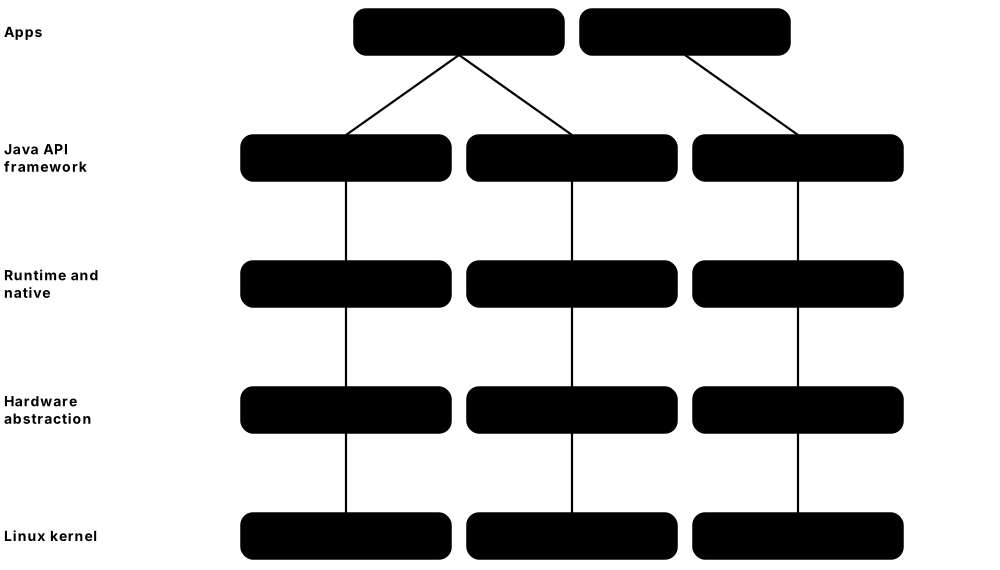
Think of it like…
Android is like a franchise restaurant system: Google publishes the recipe book (AOSP), each franchise (Samsung, Xiaomi, Google Pixel) adds its own decor and dishes, and every cook (app) works in a separate kitchen with only the ingredients the manager approved.
Real-world example
Arjun, an Android developer at the fictional MetroRide transit company, ships a ticketing app. It targets API 36 (Android 16), uses Live Updates to show 'Bus 42 arrives in 3 min' on the lock screen, asks only for approximate location, and calls the Play Integrity API so the ticket server can reject tampered app copies.
How it works
- The device boots with Android Verified Boot checking each partition's signature and dm-verity protecting system data.
- The Linux kernel (a Generic Kernel Image plus vendor modules) starts init, which starts native daemons and the Zygote process.
- Zygote preloads the Android framework in ART and forks a new process for each app, which gets its own Linux user ID.
- Apps call framework services (activity, package, location managers) through Binder inter-process communication.
- Framework services reach hardware through HAL interfaces implemented by the device vendor, defined in AIDL.
Who uses it
Android app developers, mobile security analysts, device-maker (OEM) engineers, automotive infotainment teams, mobile device management admins and forensic examiners.
Key takeaway
Memorise the stack bottom-up: Linux kernel → HAL → native libraries and ART → Java API framework → apps; and that every app is a separate Linux user, enforced further by SELinux.
Going deeper
- Android 16 (API 36) reached Pixel phones on 10 June 2025, earlier than usual, followed by Android 17 (API 37) on 16 June 2026; Google now ships a major SDK release in Q2 and a minor SDK update in Q4.
- ART replaced the Dalvik VM in Android 5.0 (2014); it combines ahead-of-time compilation, a JIT and cloud-delivered baseline profiles so apps start fast without huge install-time compiles.
- Project Treble (Android 8.0, 2017) separated vendor code behind stable HAL interfaces, Mainline (Android 10) lets Google update core components as APEX modules through Google Play, and the Generic Kernel Image (Android 12, kernel 5.10+) standardises the kernel.
- Runtime permissions arrived in Android 6.0; later versions added one-time permissions, approximate location, the photo picker and auto-reset of permissions for unused apps.
- SELinux has been enforcing for all domains since Android 5.0, and file-based encryption plus Android Verified Boot 2.0 are standard on modern devices.
- From 30 September 2026 Google's developer verification applies to apps installed on certified devices in Brazil, Indonesia, Singapore and Thailand, with global rollout planned for 2027; hobbyists get limited-distribution accounts and power users an advanced flow.
- Google Play requires apps targeting Android 15+ to support 16 KB memory pages (from November 2025), and the Android Virtualization Framework (pKVM) powers protected VMs and the Linux Terminal app on supported devices.
Common mistakes & misconceptions
- Confusing Android with Google's apps — AOSP is open source, but Play Store, Play Services and Gmail are proprietary Google software licensed to device makers.
- Requesting every permission at install — ask at the moment of need and prefer pickers (photo picker, contacts picker) that need no broad permission.
- Assuming all Android phones get updates at the same time — OEM and carrier schedules vary widely; check the vendor's support period (Pixel and recent Samsung flagships promise 7 years).
Try it: Explore an Android device with adb (enable USB debugging on your own phone first)
adb devices
adb shell getprop ro.build.version.release      # Android version
adb shell getprop ro.build.version.sdk          # API level
adb shell uname -r                              # Linux kernel version
adb shell getenforce                            # SELinux mode
adb shell pm list packages -3 | head            # third-party apps
Key kernels, commands, tools, standards & concepts
| Name | What it does | Example |
|---|---|---|
| Android Open Source Project (AOSP) Google (Apache 2.0 licence) · Operating system · Current · Beginner |
The open-source base of Android that device makers customise and combine with drivers and apps. | LineageOS and GrapheneOS are community Android builds based on AOSP without Google's proprietary apps. |
| Android 16 Google (June 2025, API 36) · Operating system · Current · Beginner |
Release adding Live Updates notifications, Advanced Protection mode and stronger large-screen adaptivity. | A delivery app shows a progress-style Live Update on the lock screen until the parcel arrives. |
| Android 17 Google (June 2026, API 37) · Operating system · Current · Beginner |
2026 release that removes apps' opt-out from large-screen resizing and adds privacy features such as a contacts picker. | Arjun tests MetroRide on Android 17 tablets because it can no longer lock itself to portrait mode. |
| Android Runtime (ART) Google (Android 5.0, 2014) · Runtime · Current · Intermediate |
Runs apps' DEX bytecode using AOT and JIT compilation plus profile-guided optimisation and garbage collection. | Baseline profiles shipped with an app tell ART which code to precompile, cutting cold-start time. |
| Zygote Google · Component · Current · Advanced |
A pre-warmed process holding the loaded framework, forked to create each app process quickly. | ps -A on a device shows every app's parent process is zygote64. |
| Binder Google (Linux kernel driver) · Component · Current · Advanced |
Android's main IPC mechanism, letting apps call system services across process boundaries with caller identity checks. | Asking LocationManager for a location sends a Binder transaction to system_server. |
| Hardware Abstraction Layer (HAL) and AIDL Google and device vendors · Component · Current · Advanced |
Standard interfaces between the framework and vendor hardware code, now defined in AIDL (previously HIDL). | A phone maker implements the Camera HAL so the standard camera APIs work with its new sensor. |
| Generic Kernel Image (GKI) Google (Android 12+) · Kernel · Current · Advanced |
A Google-built Android Common Kernel binary with vendor drivers loaded as modules, easing security updates. | A tablet receives a kernel security fix from Google's GKI release without waiting for a full vendor rebuild. |
| Project Treble and Mainline Google (Android 8.0 and 10) · Concept · Current · Intermediate |
Treble separates vendor code from the OS; Mainline updates core modules such as media codecs through Google Play. | A media-parsing vulnerability is fixed via a Mainline module update without a full OS update. |
| Android permission model Google · Concept · Current · Beginner |
Install-time normal permissions plus runtime 'dangerous' permissions the user grants, revokes or allows once. | A weather app asks for approximate location 'only while using the app', and the user agrees. |
| Android Verified Boot (AVB) Google · Concept · Current · Intermediate |
Checks partition signatures at boot and uses dm-verity to detect tampering of system data while running. | An unlocked bootloader shows a warning screen and Play Integrity reports the device as not fully trusted. |
| Play Integrity API Google · API · Current · Intermediate |
Lets an app's server check that requests come from a genuine app on a certified, unmodified Android device. | A banking server refuses transfers from an emulator that fails the device-integrity verdict. |
| Android developer verification Google (enforced from 30 September 2026) · Concept · Emerging · Intermediate |
Requires apps installed on certified devices to come from identity-verified developers, starting in four countries. | A hobbyist shares his app with 15 friends using a limited-distribution account instead of full verification. |
| Android Debug Bridge (adb) Google · Tool · Current · Beginner |
Command-line tool for installing apps, opening a shell, reading logs and debugging Android devices over USB or Wi-Fi. | adb logcat | grep MetroRide shows the app's crash stack trace on a tester's phone. |
| Android Virtualization Framework (AVF) Google (pKVM) · Platform · Emerging · Advanced |
Hypervisor-based isolation on Android for protected VMs, used for secure workloads and the Linux Terminal app. | On a Pixel, the Linux Terminal app runs a Debian VM through AVF for command-line development. |
5.11 ChromeOS, HarmonyOS and Other Device Operating Systems
Beyond Windows, macOS, iOS and Android, several other operating systems run millions of devices: ChromeOS on school laptops, Huawei's HarmonyOS on phones in China, Tizen and webOS on smart TVs, and watch and headset OSes from Apple and Google. Many reuse the Linux kernel; some, like HarmonyOS NEXT and Fuchsia, use their own microkernels.
Think of it like…
These systems are like regional car brands built on shared engines: several bolt different bodies onto the same Linux engine, while a few designers decided to build entirely new engines of their own.
Real-world example
Ms Okafor runs IT for the fictional Brookside Primary School. Its 450 Chromebooks boot in seconds, update themselves in the background, and are managed from the Google Admin console. When older laptops lose ChromeOS updates, she reinstalls them with ChromeOS Flex, and older pupils use the built-in Linux development environment for a coding club.
How it works
- ChromeOS verifies its firmware and read-only system partition at every boot (Verified Boot) and keeps two system partitions (A/B).
- Updates install to the inactive partition in the background and take effect on the next restart, so a failed update can roll back.
- Web apps, Android apps (in a container or VM) and Linux apps (in the Crostini VM) run side by side, isolated from the core OS.
- HarmonyOS NEXT replaces Linux and Android code with Huawei's HongMeng microkernel and native ArkTS apps.
- Smaller OSes such as Tizen, webOS and Wear OS adapt Linux or Android to TVs and wearables with their own app models.
Who uses it
Education IT administrators, device makers, smart-TV and wearable developers, and engineers working with Chinese markets meet these operating systems.
Key takeaway
Remember: ChromeOS = Linux kernel + Chrome browser + Verified Boot + automatic A/B updates, with 10 years of updates for devices released from 2019; Google has announced it is merging ChromeOS into an Android-based platform.
Going deeper
- ChromeOS launched on Chromebooks in 2011; it uses a Linux kernel and a Gentoo-based build system, and its Verified Boot checks firmware and the read-only root partition, entering recovery if anything has been modified.
- Chromebooks released from 2019 onwards receive 10 years of automatic updates; ChromeOS Flex (2022) installs a ChromeOS variant on ordinary x86-64 PCs and Macs but lacks Android apps and some hardware security features.
- The Linux development environment (Crostini) runs a Debian container inside a VM managed by crosvm on KVM — a good example of virtualisation used for isolation on a consumer OS.
- In 2025 Google confirmed it is combining ChromeOS and Android into a single platform (codename 'Aluminium'); existing ChromeOS devices continue to receive updates during the transition.
- HarmonyOS 5 (HarmonyOS NEXT, released late 2024) removed all AOSP code, runs only native apps written in ArkTS with the ArkUI framework, and uses the HongMeng microkernel; HarmonyOS 6 followed in late 2025.
- OpenHarmony, the open-source base Huawei donated to China's OpenAtom Foundation, supports kernels ranging from LiteOS for tiny devices to Linux, and is used by other Chinese device makers.
- Google's Fuchsia, built on the Zircon microkernel, replaced the software on first-generation Nest Hub smart displays in 2021, showing a full OS swap delivered as an update.
Common mistakes & misconceptions
- Thinking Chromebooks 'cannot run real software' — they run web apps, Android apps and full Linux tools, though not native Windows desktop apps.
- Assuming HarmonyOS is still 'Android with a new skin' — that was true up to version 4; HarmonyOS 5 and later do not run Android APKs natively.
- Forgetting a Chromebook's Auto Update Expiration date when buying — check it in Google's support list before purchase.
Try it: Peek under ChromeOS (on a Chromebook) or check the kernel any Linux-based OS uses
# On a Chromebook: open chrome://version and chrome://system in the browser
# Press Ctrl+Alt+T for the crosh shell, then:
#   help
# In the Linux development environment (Crostini):
uname -r
cat /etc/os-release
Key kernels, commands, tools, standards & concepts
| Name | What it does | Example |
|---|---|---|
| ChromeOS architecture Google (2011) · Operating system · Current · Beginner |
Linux kernel plus Chrome as the shell, a verified read-only root and A/B system partitions updated automatically. | A Chromebook downloads an update to its spare partition in the background and switches over at the next restart. |
| ChromeOS Flex Google (2022) · Operating system · Current · Beginner |
A free ChromeOS variant installable on many older Windows PCs and Macs to extend their useful life. | A charity revives 60 donated 2015 laptops by installing ChromeOS Flex from a USB stick. |
| ChromeOS Verified Boot Google · Concept · Current · Intermediate |
Checks firmware and the read-only system partition at every boot and enters recovery if tampering is found. | Malware that modifies system files is wiped out at the next boot because the check fails and recovery starts. |
| Crostini (Linux development environment) Google · Platform · Current · Intermediate |
Runs a Debian container inside a lightweight crosvm virtual machine on a Chromebook. | A student installs Python and VS Code in Crostini to complete a programming course on a Chromebook. |
| Google Admin console (Chrome Enterprise) Google · Service · Current · Beginner |
Cloud management of Chromebooks: enrolment, policies, apps, updates and remote disable. | Brookside disables a stolen Chromebook remotely, showing a 'return to school' message on its screen. |
| ChromeOS–Android merger Google (announced 2025) · Concept · Emerging · Intermediate |
Google's plan to build its laptop platform on Android rather than the current ChromeOS code base. | A school IT team follows Google's roadmap to understand how existing Chromebook fleets will be supported. |
| HarmonyOS NEXT / HarmonyOS 5 and 6 Huawei (2024–2025) · Operating system · Current · Intermediate |
Huawei's proprietary OS for phones, tablets and PCs, running native ArkTS apps on the HongMeng microkernel, without Android code. | A Shenzhen app developer rewrites her shopping app in ArkTS to reach HarmonyOS users. |
| OpenHarmony OpenAtom Foundation (Huawei donation) · Operating system · Current · Intermediate |
Open-source distributed OS for devices from tiny sensors to tablets, the base of HarmonyOS and other Chinese products. | A Chinese appliance maker builds a smart-oven controller on OpenHarmony with the LiteOS kernel. |
| HongMeng kernel Huawei · Kernel · Current · Advanced |
Huawei's microkernel at the core of HarmonyOS NEXT, replacing the Linux kernel used by earlier HarmonyOS versions. | Huawei's research papers describe running Linux drivers in user space alongside HongMeng for compatibility. |
| Fuchsia and Zircon Google (open source) · Operating system · Current · Advanced |
Google's capability-based OS built on the Zircon microkernel, deployed on Nest Hub smart displays. | Owners of a 2018 Nest Hub received Fuchsia in 2021 without noticing any change in the interface. |
| Tizen Samsung, Linux Foundation project · Operating system · Current · Intermediate |
A Linux-based OS used mainly on Samsung smart TVs and appliances. | A streaming service builds a web-based Tizen app so it appears on Samsung TVs. |
| webOS LG Electronics · Operating system · Current · Intermediate |
A Linux-based OS originally from Palm, now running LG smart TVs and other displays. | An LG TV's apps are web apps running in webOS's browser-based runtime. |
| Wear OS Google · Operating system · Current · Beginner |
Android-based OS for smartwatches from Google, Samsung and others. | A fitness app adds a Wear OS tile so runners see their pace without taking out their phones. |
| watchOS, tvOS and visionOS Apple · Operating system · Current · Beginner |
Apple's Darwin-based OSes for Apple Watch, Apple TV and Apple Vision Pro, sharing iOS's security model. | A developer builds one SwiftUI app with targets for iOS, watchOS and visionOS. |
| KaiOS KaiOS Technologies (fork of Firefox OS) · Operating system · Current · Intermediate |
A lightweight web-based OS for low-cost 'smart feature phones' popular in emerging markets. | A farmer in rural India uses WhatsApp and maps on a KaiOS phone costing under $25. |
5.12 The BSD Family: FreeBSD, OpenBSD and NetBSD
The BSDs are free Unix-like operating systems descended from the Berkeley Software Distribution, created at the University of California, Berkeley from 1977. Unlike Linux distributions, each BSD develops its kernel and core userland together as one complete system, and they use permissive BSD licences that let companies reuse code in closed products.
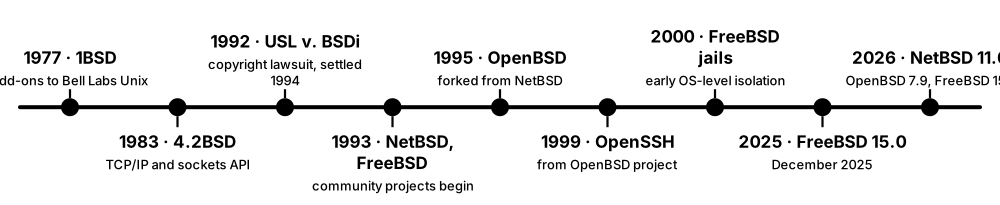
Think of it like…
Linux is like buying a kit car where the engine (kernel) and body (tools) come from different makers; a BSD is a factory car where engine, body and manual are designed together by one team.
Real-world example
Hamza, network engineer at the fictional Coastline ISP, builds a firewall on OPNsense (FreeBSD-based) using the PF packet filter, and a storage server on FreeBSD with ZFS and jails isolating each customer service. His colleague uses OpenBSD for the bastion SSH host because of its security-first defaults.
How it works
- Install the base system: kernel plus a matching userland released and tested together.
- Configure services in /etc/rc.conf (FreeBSD) or with rcctl (OpenBSD).
- Add third-party software from ports or binary packages (pkg on FreeBSD, pkg_add on OpenBSD, pkgsrc on NetBSD).
- Isolate services with jails (FreeBSD) or restrict programs with pledge and unveil (OpenBSD).
- Update the base system with freebsd-update or pkgbase (FreeBSD), syspatch (OpenBSD) or sysupgrade.
Who uses it
Network and firewall engineers, storage administrators, embedded and appliance developers, CDN and streaming engineers, and security-minded sysadmins use BSD systems.
Key takeaway
Know each BSD's personality: FreeBSD = performance, servers and appliances; OpenBSD = security and correctness (OpenSSH, PF); NetBSD = portability ('Of course it runs NetBSD').
Going deeper
- 4.2BSD (1983) introduced the Berkeley sockets API and a TCP/IP stack that shaped almost every networked OS; Windows, Linux and macOS socket APIs still follow that design.
- Current releases as of October 2026: FreeBSD 15.1 (June 2026) with 14.x still supported, OpenBSD 7.9 (May 2026, the project's 60th release; OpenBSD ships every six months), and NetBSD 11.0 (July 2026).
- FreeBSD 15 moves towards managing the base system as packages ('pkgbase'), replacing the separate freebsd-update tool over time.
- FreeBSD jails (2000) isolate processes, file systems and networking with one shared kernel — a precursor of Linux containers; bhyve is FreeBSD's own type-2 hypervisor, and Capsicum provides capability-based sandboxing.
- OpenBSD pioneered or popularised W^X memory, pledge() and unveil() for self-restricting programs, the PF firewall, LibreSSL and OpenSSH, and ships with only a minimal set of services enabled.
- Commercial products built on FreeBSD include Sony's PlayStation 4 and 5 system software, Netflix's Open Connect CDN appliances, NetApp ONTAP, pfSense and OPNsense firewalls; macOS's userland also borrows heavily from FreeBSD.
- The permissive BSD licences (2-clause and 3-clause) allow use in closed-source products without sharing changes, unlike Linux's GPLv2 — one reason vendors choose a BSD base.
Common mistakes & misconceptions
- Calling the BSDs 'Linux distributions' — they have different kernels, init systems, tools and licences; Linux binaries need a compatibility layer.
- Assuming FreeBSD jails equal Docker — jails give isolation, but image formats, registries and orchestration differ (FreeBSD has added OCI container support via tools like Podman).
- Expecting identical command options — BSD and GNU versions of ls, sed and tar differ, which breaks scripts written only for Linux.
Try it: Try FreeBSD commands (in a FreeBSD VM)
freebsd-version -ku          # kernel and userland versions
uname -a
pkg search nginx | head
sysrc nginx_enable=YES       # enable a service in /etc/rc.conf
zpool status                 # ZFS pool health
jls                          # list running jails
Key kernels, commands, tools, standards & concepts
| Name | What it does | Example |
|---|---|---|
| Berkeley Software Distribution (BSD) University of California, Berkeley (1977–1995) · Operating system · Legacy · Beginner |
The Berkeley Unix lineage whose code and ideas underpin FreeBSD, OpenBSD, NetBSD and parts of macOS. | The 'Berkeley sockets' you use in Python's socket module come from 4.2BSD. |
| FreeBSD FreeBSD Project (1993) · Operating system · Current · Intermediate |
General-purpose BSD focused on performance and servers, with ZFS, jails, bhyve, DTrace and a huge ports collection. | Netflix serves video from FreeBSD-based Open Connect appliances inside internet providers' networks. |
| OpenBSD OpenBSD Project, Theo de Raadt (1995) · Operating system · Current · Intermediate |
Security-focused BSD known for code audits, secure defaults and projects like OpenSSH, PF and LibreSSL. | A bank's jump host runs OpenBSD with only sshd enabled and a strict PF ruleset. |
| NetBSD NetBSD Foundation (1993) · Operating system · Current · Intermediate |
Highly portable BSD running on dozens of hardware architectures, popular for embedded and research use. | A hobbyist runs NetBSD 11.0 on an old Amiga and on a modern Arm board with the same source tree. |
| DragonFly BSD Matthew Dillon (2003, fork of FreeBSD 4) · Operating system · Current · Advanced |
A FreeBSD fork exploring different SMP and file-system designs, including the HAMMER2 file system. | Operating-system students compare DragonFly's lightweight-kernel-thread approach with FreeBSD's locking. |
| FreeBSD jails FreeBSD (4.0, 2000) · Concept · Current · Intermediate |
OS-level virtualisation giving each jail its own file tree, users, hostname and IP addresses on a shared kernel. | Hamza runs each customer's web server in its own jail so a compromise cannot touch the others. |
| bhyve FreeBSD (2014) · Software · Current · Advanced |
FreeBSD's native hypervisor using Intel VT-x or AMD-V to run Linux, Windows and BSD guests. | TrueNAS CORE users ran small Linux VMs on bhyve alongside their file shares. |
| PF (Packet Filter) OpenBSD (2001) · Software · Current · Intermediate |
Stateful firewall with a readable rule syntax, NAT and traffic shaping; also used on FreeBSD and macOS. | pass in on egress proto tcp to port 22 allows SSH; pfctl -sr shows the loaded rules. |
| OpenSSH OpenBSD Project (1999) · Software · Current · Beginner |
The world's most widely used SSH implementation, developed by OpenBSD and shipped with Linux, macOS and Windows. | ssh-keygen -t ed25519 creates a key pair used to log in to cloud servers. |
| pledge and unveil OpenBSD · System call · Current · Advanced |
System calls letting a program promise which kinds of syscalls (pledge) and which file paths (unveil) it will use. | OpenBSD's ping calls pledge('stdio inet'), so even if exploited it cannot open files or start programs. |
| Capsicum FreeBSD (Cambridge University research) · API · Current · Advanced |
Capability-mode sandboxing where a process can only use file descriptors it already holds. | FreeBSD's tcpdump enters capability mode after opening its capture device, limiting damage from parser bugs. |
| Ports and pkg FreeBSD Project · Tool · Current · Beginner |
The ports tree builds third-party software from source; pkg installs prebuilt binary packages. | pkg install nginx installs a web server in seconds; the port lets you change build options. |
| pfSense and OPNsense Netgate; Deciso (OPNsense) · Software · Current · Beginner |
Popular FreeBSD-based open-source firewall and router distributions with web interfaces. | A small office replaces its consumer router with an OPNsense box providing VPN and IDS. |
| BSD licence University of California and BSD projects · Concept · Current · Beginner |
Permissive open-source licences allowing reuse in proprietary products with minimal conditions. | Sony could base PlayStation system software on FreeBSD without publishing its own changes. |
5.13 Real-Time and Embedded Operating Systems
Most computers in the world are not PCs or phones but tiny controllers inside cars, pacemakers, washing machines and satellites. They run real-time operating systems (RTOSes) or slimmed-down embedded Linux. A real-time OS guarantees that important work finishes within a known deadline, every time — being predictable matters more than being fast.
Bare metal vs RTOS vs embedded Linux
| Bare metal / RTOS | Embedded Linux | |
|---|---|---|
| Typical chip | microcontroller, no MMU | application processor with MMU |
| RAM | kilobytes to a few MB | tens of MB and up |
| Boot time | milliseconds | about 1-10 seconds |
| Determinism | hard real-time | soft; PREEMPT_RT improves it |
| Networking, UI, apps | limited, add-on stacks | full Linux ecosystem |
| Examples | FreeRTOS, Zephyr, ThreadX | Yocto, Buildroot images |
| Typical use | sensors, motor control, wearables | routers, cameras, infotainment |
Pick the smallest system that meets the deadlines and the features you need.
Think of it like…
An RTOS is like an air-traffic controller: the job is not to land the most planes per hour but to make sure every plane lands at exactly the right moment, with emergencies always handled first.
Real-world example
Sofia, a firmware engineer at the fictional Aquilo Medical, builds an insulin pump. A FreeRTOS task must read the glucose sensor every 5 ms, another drives the motor, and a low-priority task updates the screen. She uses priority inheritance on the shared sensor mutex so the display task can never delay a dose — the same class of bug that once reset NASA's Mars Pathfinder.
How it works
- Split the firmware into tasks (threads) and give each a fixed priority according to its deadline.
- The RTOS scheduler always runs the highest-priority ready task and preempts lower ones immediately.
- Interrupt service routines do minimal work and signal tasks through queues, semaphores or event flags.
- Shared resources use mutexes with priority inheritance to avoid unbounded priority inversion.
- Measure worst-case execution time and interrupt latency on real hardware, then certify against the industry safety standard.
Who uses it
Embedded and firmware engineers, automotive, aerospace and medical-device developers, IoT product teams and safety-assessment engineers.
Key takeaway
Interviewers love priority inversion: a low-priority task holds a lock a high-priority task needs while a medium task runs; the fix is priority inheritance or a priority-ceiling protocol.
Going deeper
- Hard real-time means a missed deadline is a failure (airbag, pacemaker); soft real-time tolerates occasional misses (video playback); jitter is the variation in response time.
- FreeRTOS, created by Richard Barry in 2003 and stewarded by Amazon since 2017, is MIT-licensed; its kernel is only a few thousand lines of C and typically compiles to roughly 6-12 KB of flash.
- Zephyr, a Linux Foundation project since 2016, uses devicetree and Kconfig like Linux; its LTS release is 3.7 (July 2024, supported to 2029) and Zephyr 4.4 shipped in April 2026.
- BlackBerry QNX Neutrino is a POSIX microkernel RTOS widely used in car digital cockpits and ADAS; Wind River VxWorks flies on NASA Mars rovers and many aircraft and industrial systems.
- Safety certification drives OS choice: IEC 61508 (industrial), ISO 26262 ASIL levels (automotive), DO-178C (avionics) and IEC 62304 (medical device software); pre-certified variants such as SafeRTOS exist for these markets.
- The Yocto Project builds custom embedded Linux images from recipes; its LTS releases are 5.0 'Scarthgap' (April 2024, to April 2028) and 6.0 'Wrynose' (April 2026, to April 2030). Buildroot is the simpler alternative.
- Microsoft's Azure RTOS was contributed to the Eclipse Foundation as Eclipse ThreadX (MIT licence), and Arm announced the end of life of Mbed OS for July 2026, so new projects choose Zephyr, FreeRTOS or ThreadX instead.
Common mistakes & misconceptions
- Thinking 'real-time' means 'fast' — it means bounded and predictable; a slow but always-on-time system can be real-time.
- Using a plain binary semaphore to protect shared data between tasks of different priorities — use a mutex with priority inheritance.
- Choosing embedded Linux for a hard sub-millisecond control loop — pair it with a microcontroller running an RTOS, or use PREEMPT_RT and measure carefully.
Try it: Build and run a Zephyr sample without hardware (on Linux, after installing the Zephyr SDK and west)
west init zephyrproject && cd zephyrproject && west update
cd zephyr
west build -b qemu_x86 samples/hello_world
west build -t run     # boots Zephyr in QEMU and prints 'Hello World! qemu_x86'
Key kernels, commands, tools, standards & concepts
| Name | What it does | Example |
|---|---|---|
| Interrupt latency and jitter General · Concept · Current · Intermediate |
Latency is the delay from an interrupt to its handler running; jitter is how much that delay varies. | Sofia measures a worst-case 4 microsecond interrupt latency with an oscilloscope on a GPIO pin. |
| Priority inversion and inheritance General (Mars Pathfinder, 1997) · Concept · Current · Intermediate |
Inversion: a low-priority lock holder blocks a high-priority task; inheritance temporarily raises the holder's priority. | Pathfinder kept resetting on Mars until engineers remotely enabled priority inheritance in VxWorks. |
| FreeRTOS Amazon Web Services (MIT licence) · Operating system · Current · Beginner |
The most widely used open-source microcontroller RTOS: small, portable, with tasks, queues, timers and semaphores. | An ESP32 smart plug runs FreeRTOS tasks for Wi-Fi, the relay and a button. |
| Zephyr RTOS Linux Foundation (Apache 2.0) · Operating system · Current · Intermediate |
Scalable open-source RTOS with networking, Bluetooth LE, devicetree configuration and long-term support releases. | A wearable start-up uses Zephyr's Bluetooth LE stack on a Nordic nRF chip. |
| BlackBerry QNX in vehicles BlackBerry QNX · Software · Current · Intermediate |
QNX OS for Safety and the QNX Hypervisor, certified to ISO 26262 ASIL D, power digital cockpits and driver-assistance systems. | A carmaker runs a safety-certified QNX instrument cluster beside an Android infotainment guest on one chip. |
| VxWorks Wind River · Operating system · Current · Intermediate |
Commercial RTOS used in aerospace, defence, industrial and network equipment, certified for DO-178C. | The Mars Curiosity and Perseverance rovers run VxWorks on their flight computers. |
| RTEMS RTEMS Project (open source) · Operating system · Current · Advanced |
Open-source RTOS with POSIX support, popular for space missions and scientific instruments. | A university CubeSat team runs RTEMS on a radiation-tolerant LEON processor. |
| Eclipse ThreadX Eclipse Foundation (formerly Azure RTOS) · Operating system · Current · Intermediate |
Small, safety-certified RTOS open-sourced under the MIT licence after Microsoft contributed it in 2023-2024. | A smart-meter maker keeps its ThreadX firmware after the project moved to the Eclipse Foundation. |
| Apache NuttX Apache Software Foundation · Operating system · Current · Advanced |
POSIX-style RTOS for microcontrollers, used by the PX4 drone autopilot. | A drone flight controller runs PX4 on NuttX on an STM32 microcontroller. |
| Embedded Linux Linux community · Concept · Current · Beginner |
Trimmed Linux systems for devices with an MMU and enough memory, offering full networking and driver support. | A home Wi-Fi router runs OpenWrt, a full Linux distribution that fits in 16 MB of flash. |
| Yocto Project Linux Foundation · Tool · Current · Intermediate |
Build framework (BitBake, OpenEmbedded layers) for creating custom Linux distributions for embedded devices. | An EV-charger maker builds its firmware image from Yocto 6.0 'Wrynose' LTS layers. |
| Buildroot Buildroot project · Tool · Current · Intermediate |
Simpler tool generating a cross-compiler, kernel and small root file system from a menu configuration. | A camera prototype boots a 20 MB Buildroot image in under three seconds. |
| Worst-case execution time (WCET) General · Concept · Current · Advanced |
The longest a task can ever take on given hardware, used to prove every deadline can be met. | A static analysis tool bounds the motor-control task at 380 microseconds, inside its 1 ms period. |
| Functional-safety standards IEC 61508, ISO 26262, DO-178C, IEC 62304 · Standard · Current · Advanced |
Industry standards defining processes and evidence needed to certify safety-critical software, including the OS. | A brake-by-wire ECU needs an RTOS certified to ISO 26262 ASIL D. |
| AUTOSAR AUTOSAR partnership · Standard · Current · Advanced |
Automotive software architecture standards: Classic Platform (OSEK-based OS on ECUs) and Adaptive Platform (POSIX OSes). | A gearbox ECU runs an AUTOSAR Classic OS with statically configured tasks and alarms. |
5.14 OS Security Mechanisms: Exploit Mitigations, Access Control and Trusted Boot
Modern operating systems assume some programs will have bugs and add layers that make those bugs hard to exploit. Memory protections such as ASLR, non-executable memory, stack canaries and control-flow integrity stop common attacks; mandatory access control (SELinux, AppArmor) and sandboxes limit damage; and secure boot plus code signing make sure only trusted code starts in the first place.
What each mitigation blocks — and how attackers respond
| Blocks | Typical bypass | |
|---|---|---|
| Stack canary | linear stack overflows | leaking the canary value |
| DEP / NX | running injected shellcode | return-oriented programming |
| ASLR / KASLR | hard-coded addresses | information-leak bugs |
| CFI / shadow stack | ROP and JOP hijacks | data-only attacks |
| SELinux / AppArmor | post-exploit file and port access | kernel exploits |
| Sandboxing | renderer reaching the OS | sandbox-escape bug chains |
| Secure Boot | bootkits, unsigned loaders | signed but vulnerable loaders |
No single mitigation is enough; they are designed to be layered.
Think of it like…
OS security is like protecting a bank: random vault locations (ASLR), walls that cannot become doors (non-executable memory), tamper seals on the safe (stack canaries), guards checking that everyone follows the official route (CFI), and each employee's badge opening only their own rooms (mandatory access control).
Real-world example
Kenji, a security engineer at the fictional Orchid Payments, reviews a vulnerable image-parsing library on the company's Linux servers. Because the service is compiled with stack protection and PIE, runs under an SELinux confined domain and a seccomp filter, the public proof-of-concept only crashes the process. Patching is still urgent, but the layers bought time and kept card data safe.
How it works
- Secure boot verifies each boot stage's signature so only trusted firmware, boot loaders and kernels start.
- The kernel enforces code signing or driver signing and protects itself with KASLR and, on Windows, virtualisation-based security.
- Mandatory access control (SELinux, AppArmor) confines each service to the files, ports and capabilities its policy allows.
- Sandboxes (seccomp, AppContainer, App Sandbox) further restrict untrusted code such as browser renderers.
- Inside every process, ASLR, non-executable memory, stack canaries and CFI make memory-corruption bugs hard to exploit.
Who uses it
Security engineers, penetration testers, exploit developers, OS and compiler developers, Linux and Windows hardening specialists and SOC analysts.
Key takeaway
Map each mitigation to the attack it stops: canaries → stack overflows; DEP/NX → injected shellcode; ASLR → hard-coded addresses; CFI and shadow stacks → ROP; MAC and sandboxes → post-exploitation access.
Going deeper
- ASLR randomises where stacks, heaps, libraries and executables load; PaX introduced it for Linux in 2001, mainline Linux added it in 2005 and Windows in Vista (2007); KASLR applies the idea to the kernel.
- DEP/NX marks data pages non-executable using the CPU's NX/XD bit (AMD64 in 2003, Windows XP SP2 in 2004); attackers responded with return-oriented programming that chains existing code 'gadgets'.
- Control-flow integrity checks indirect jumps and returns: Microsoft Control Flow Guard (2015), Clang CFI and kCFI in Linux, Intel CET shadow stacks and indirect branch tracking (Tiger Lake, 2020), and Arm pointer authentication (ARMv8.3) and BTI.
- SELinux, developed by the NSA and merged into Linux 2.6 in 2003, labels every process and object and enforces type-enforcement policy; AppArmor uses simpler path-based profiles and is the default on Ubuntu and SUSE.
- Windows virtualisation-based security uses the Hyper-V hypervisor to create an isolated secure kernel; Memory Integrity (HVCI) checks kernel code signatures there, and Credential Guard isolates secrets, on by default on eligible Windows 11 Enterprise devices since 22H2.
- UEFI Secure Boot (UEFI 2.3.1, 2011) trusts keys in the db and revokes them in dbx; Microsoft's original 2011 Secure Boot certificates expire between June and October 2026, so devices need the 2023 replacement certificates to keep receiving boot-security updates.
- Memory-safe languages remove whole bug classes: Rust support entered Linux 6.1 (2022) and is used in Android and parts of Windows; Google reported Android's share of memory-safety vulnerabilities falling from 76% in 2019 to 24% in 2024.
Common mistakes & misconceptions
- Treating any single mitigation as a fix — attackers chain an information leak to beat ASLR and ROP to beat DEP; patching the bug remains essential.
- Setting SELinux to permissive or disabled to 'fix' an error — read the AVC denial with ausearch or audit2why and adjust the policy or file labels instead.
- Assuming Secure Boot stops all boot malware — BlackLotus (2023) abused a signed but vulnerable Windows boot manager, so revocation (dbx) updates matter.
- Believing code signing means code is safe — signed drivers have been abused in 'bring your own vulnerable driver' attacks; use blocklists too.
Try it: Check which mitigations protect your system and binaries
# Linux
cat /proc/sys/kernel/randomize_va_space     # 2 = full ASLR
getenforce 2>/dev/null || aa-status 2>/dev/null | head -3
readelf -h /bin/ls | grep Type             # DYN = position-independent
# Windows PowerShell
Get-ProcessMitigation -System
Confirm-SecureBootUEFI                      # admin; True if Secure Boot is on
Key kernels, commands, tools, standards & concepts
| Name | What it does | Example |
|---|---|---|
| ASLR as an exploit mitigation PaX (2001); Linux, Windows, macOS, mobile OSes · Concept · Current · Beginner |
Randomised layout defeats hard-coded addresses, but only for position-independent binaries and only until an address leaks. | checksec shows a service built without PIE, so its code sits at a fixed address and ROP gadgets are easy to find. |
| KASLR Linux, Windows, macOS kernels · Concept · Current · Intermediate |
Randomises the kernel's base address at each boot to hinder kernel exploits. | A kernel exploit must first leak a kernel pointer because KASLR moves the kernel on every boot. |
| DEP / NX bit AMD (NX, 2003), Intel (XD), Microsoft DEP (2004) · Concept · Current · Beginner |
Marks stack and heap memory as non-executable so injected data cannot run as code. | A classic shellcode exploit crashes with an access violation because the stack is non-executable. |
| W^X (write xor execute) OpenBSD (2003) and others · Concept · Current · Intermediate |
Policy that memory may be writable or executable but never both at once. | A JavaScript JIT writes code into one mapping, then flips it to execute-only before running it. |
| Stack canaries StackGuard (1998); GCC/Clang -fstack-protector, MSVC /GS · Concept · Current · Beginner |
A secret value placed before a function's return address and checked before returning, detecting stack overflows. | A buffer overflow in a C parser aborts with '*** stack smashing detected ***' instead of being exploited. |
| Return-oriented programming (ROP) Shacham (2007), widespread since · Attack · Current · Advanced |
Exploitation technique chaining small existing code snippets ending in 'ret' to bypass non-executable memory. | An exploit builds a ROP chain from libc gadgets to call mprotect and make its payload executable. |
| Control-flow integrity (CFI) Microsoft CFG, Clang CFI, Linux kCFI · Concept · Current · Advanced |
Checks that indirect calls and jumps go only to valid targets, blocking many control-flow hijacks. | Microsoft Edge is compiled with Control Flow Guard, so a corrupted function pointer is caught before the call. |
| Shadow stacks (Intel CET) and Arm PAC/BTI Intel (2020), Arm (ARMv8.3+) · Concept · Current · Advanced |
Hardware protections that verify return addresses or sign pointers so ROP-style attacks are detected. | Windows hardware-enforced stack protection stops a ROP chain when the return address mismatches the shadow stack. |
| Arm Memory Tagging Extension (MTE) Arm (ARMv8.5) · Concept · Emerging · Advanced |
Tags memory allocations and pointers so out-of-bounds and use-after-free accesses fault in hardware. | Pixel 8 and later phones offer MTE as a developer and Advanced Protection option to catch memory bugs. |
| SELinux NSA, Red Hat and Linux community (2003) · Component · Current · Intermediate |
Label-based mandatory access control for Linux, enforcing type-enforcement policy even on root processes. | An exploited Apache process on RHEL cannot read /etc/shadow because httpd_t has no rule allowing it. |
| AppArmor Canonical, SUSE, Linux community · Component · Current · Intermediate |
Path-based mandatory access control that confines programs with per-application profiles. | Ubuntu's AppArmor profile stops a compromised CUPS daemon from writing outside its spool directories. |
| Sandboxing (seccomp, AppContainer, App Sandbox) Linux, Microsoft, Apple · Concept · Current · Intermediate |
Restricting a process's system calls, files and privileges so untrusted code can do little damage. | Chrome's renderer on Linux uses seccomp-bpf to block most system calls, including opening files. |
| Code signing Microsoft Authenticode, Apple, Android APK signing · Concept · Current · Beginner |
Cryptographic signatures that identify a software publisher and detect any modification of the code. | Windows refuses to load a kernel driver lacking a valid Microsoft-issued signature. |
| UEFI Secure Boot UEFI Forum (UEFI 2.3.1, 2011) · Standard · Current · Intermediate |
Firmware verifies boot loaders and drivers against trusted keys (db) and revocations (dbx) before running them. | In 2026 admins deploy Microsoft's 2023 Secure Boot certificates as the original 2011 ones expire. |
| Virtualisation-based security (VBS) and HVCI Microsoft (Windows 10, 2015) · Component · Current · Advanced |
Uses Hyper-V to isolate a secure kernel that verifies kernel code integrity and protects secrets from a compromised OS. | With Memory Integrity on, a rootkit cannot load unsigned code into the Windows kernel. |
| Memory-safe languages in OS code Rust in Linux (6.1+), Android, Windows · Concept · Emerging · Intermediate |
Writing new OS components in languages like Rust to eliminate buffer overflows and use-after-free bugs. | Android writes new Bluetooth and keystore code in Rust, contributing to its falling memory-safety bug share. |